Work 01 / 06
Scribbet
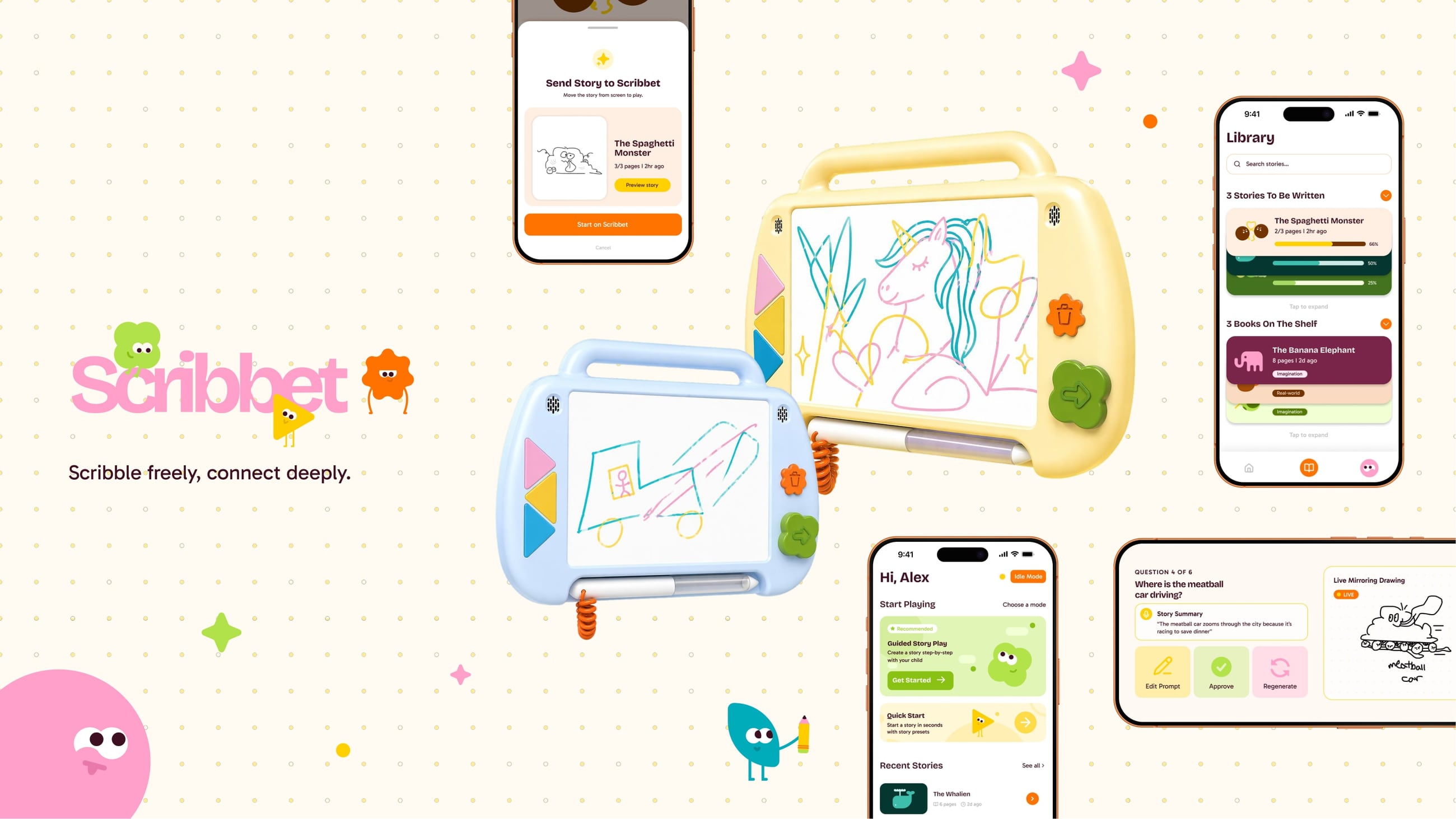
A context-driven drawing tablet for kids — parents share what's happening, Scribbet turns it into drawing prompts, and the drawings become the child's own picture book. Screen-light, AI-safe, and built to be passed on.
Overview
Children are natural storytellers, always exploring the world around them through play and imagination. But when parents need just a few minutes to breathe, that creativity often gets traded for a screen.
Scribbet is a context-driven drawing tablet that bridges the gap. Parents use a companion app to share what’s happening around them, and Scribbet translates that context into drawing prompts rooted in the child’s day to day — turning everyday moments into storytelling material.
The goal isn’t to replace screens with another screen. It’s to give parents a guilt-free tool that keeps their child meaningfully occupied, with AI that was designed from the ground up with child safety as a creative constraint, not an afterthought.
Where we started
Two quarters, five people, one question that kept changing shape.
The proposal was titled Early Education. The problem statement read like a warning: screens had reshaped play for four-to-six-year-olds, prioritising convenience over developmental needs, leaving screen-heavy children at a cognitive disadvantage to peers who play analog. Our secondary research was about schools — 88% of public schools run 1:1 device programmes — and about AI toys pulled from market for unsafe conversations.
It was a true statement. It was also a statement about a deficit, not a moment. Nobody designs for a deficit; you design for 5:47 PM, when a parent walks in from work and dinner still needs to be made.
Research
We set out with three goals: understand real child needs (what four-to-six-year-olds can cognitively, sensorially, and socially handle without overstimulation), understand family realities (where screens actually help, where they fall short, and why the rules break down), and understand trust in AI (what safeguards caregivers need before they let AI near their child).
The plan was 8–10 caregiver interviews, 25–30 surveys, and 3–4 observations. We ended with more of everything, plus one thing that wasn’t in the plan and turned out to matter most.
What the survey said
“My energy levels being low can be one of the most common reasons that I bend screen time rules.”
What the interviews said
- Parents use screens reactively, not intentionally. Screens are the fastest, most reliable way to occupy a child while a caregiver manages everything else.
- Algorithm-driven content erodes trust. “No kids YouTube, YouTube, because I don’t trust their content and creators. Algorithms are built to hook you.”
- Screen-to-physical transitions cause conflict. The tantrum isn’t during the show; it’s when the show ends.
- Children respond to narrative and story. “When he’s playing [imaginative play] — that’s when storytelling happens.”
- Independent play is hard to sustain. “He’s not good at playing by himself. He might choose not to play. He needs a buddy.”
What the children said
We asked twelve first-graders what they like to do without screens, and what toy they’d invent. Drawing with colored pencils. Play outside, pretend to be a wolf. A fish who has unicorns in its stomach. Nobody asked for a better show. They asked to make things.
Two archetypes
The Practical Parent — “The reality is, I have to work” — uses screens situationally, sets limits, frames screens as temporary, avoids open platforms, and wants quick regulation tools with strong AI guardrails. The Screen Skeptic — “Turning off the brain and feeding content with no depth is not something I’m a fan of” — strictly limits screens, values boredom tolerance and analog play, and avoids AI exposure entirely.
Any solution had to be trustworthy enough for the second and effortless enough for the first.
How the question moved
The How-Might-We was rewritten three times. Each rewrite is the project’s real story.
Midterm. How might we transform a tool commonly used for distraction into one that supports children’s cognitive development, without adding burden for parents when they need convenient support? — The object was the screen itself. We were still trying to fix the tablet.
End of the first quarter. How might we design a developmentally beneficial toy that eases parental strain by providing convenient support, while making the transition from screen-based play to physical, story-driven play feel smooth, engaging, and meaningful for children as active main characters? — The object became a toy, the child became a protagonist, and the transition problem from the journey map entered the question.
Second quarter. How might we design a toy that supports parents across varying contexts by dynamically tailoring a child’s play to the parent’s activity, making engagement feel natural and low-effort? — Faculty feedback asked for a screen-less interface for the child, a fleshed-out physical form, and tighter framing around specific intervention points. Context became the mechanic: the parent’s activity is the input, the child’s play is the output.
What changed underneath: the topic was renamed from Early Education to Screen and Play Balance in Early Childhood; the primary user moved from the child-as-learner to the parent-in-the-moment, with the child as co-user; the stance on screens softened from replace to screen-light; and AI moved from a risk to be avoided to a constraint to design within — because 61% of parents distrust it, every AI decision had to be visible, parent-led, and reversible.
Two directions
We took two concepts to critique.
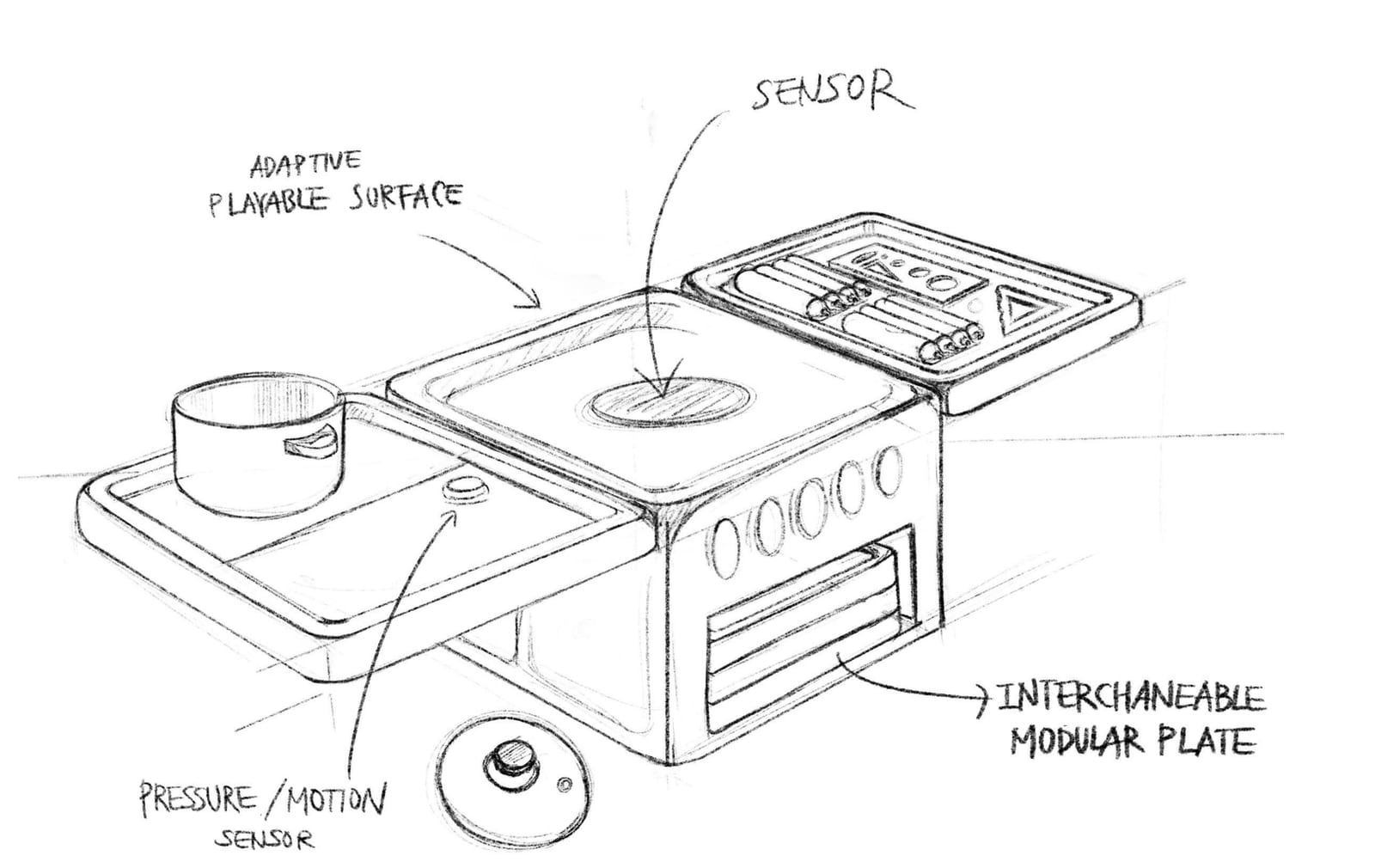
Adaptive Parallel Play redesigned the environment that creates screen reliance: a modular physical system that keeps the child engaged next to a busy parent, with no screen at all. It gained parental trust and developmental alignment; it lost the guaranteed captivation, novelty, and portability that screens provide.
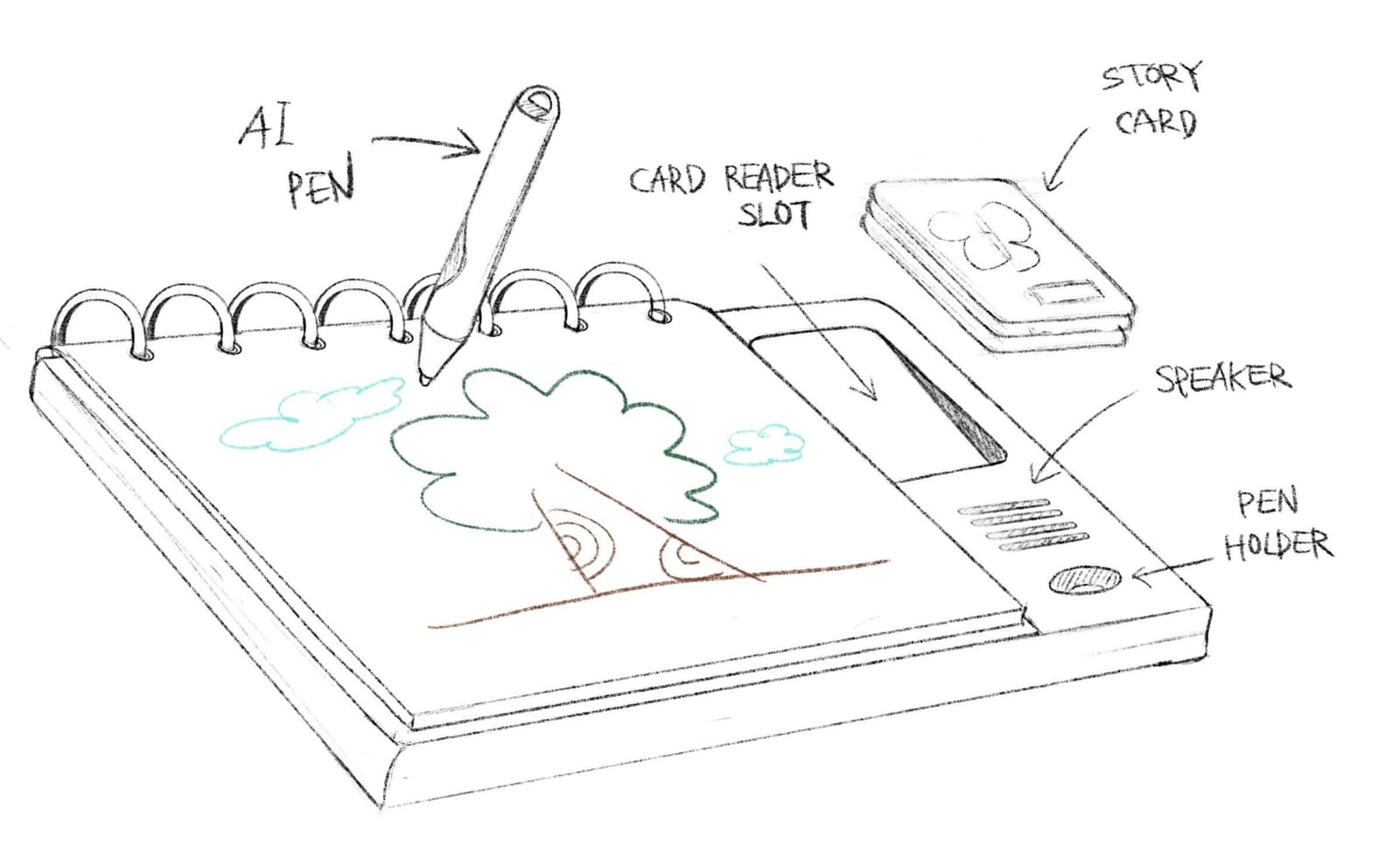
Creation Over Consumption started from a different assumption — that the core issue isn’t screens but passive consumption. If the child becomes the author, technology can stay in the room. It kept technology relevant and made AI supportive instead of manipulative; it demanded thoughtful guardrails so it wouldn’t slide back into being an entertainment device.
The interviews said children respond to story. The children said they like to draw. We chose creation.
Solution
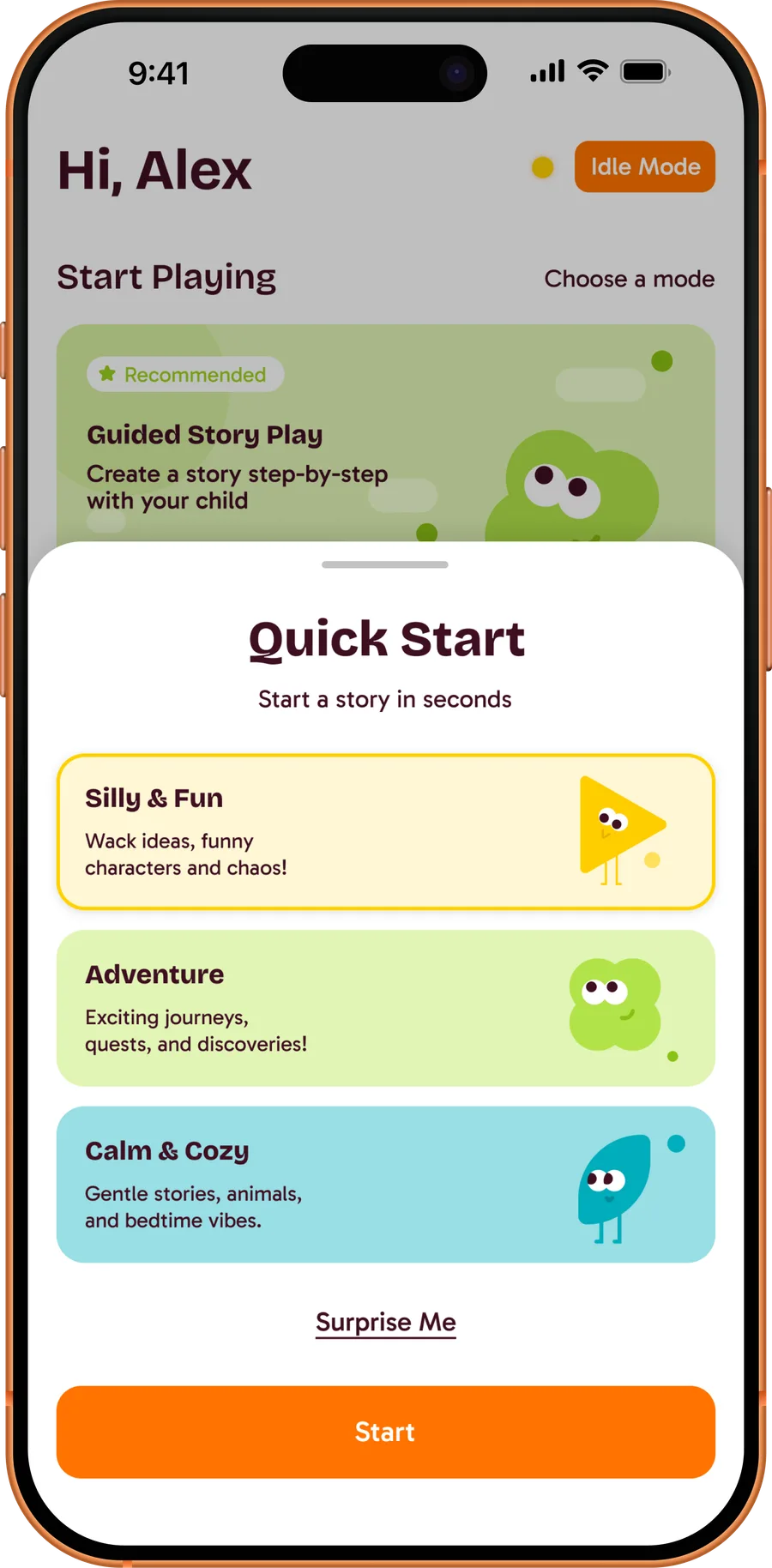
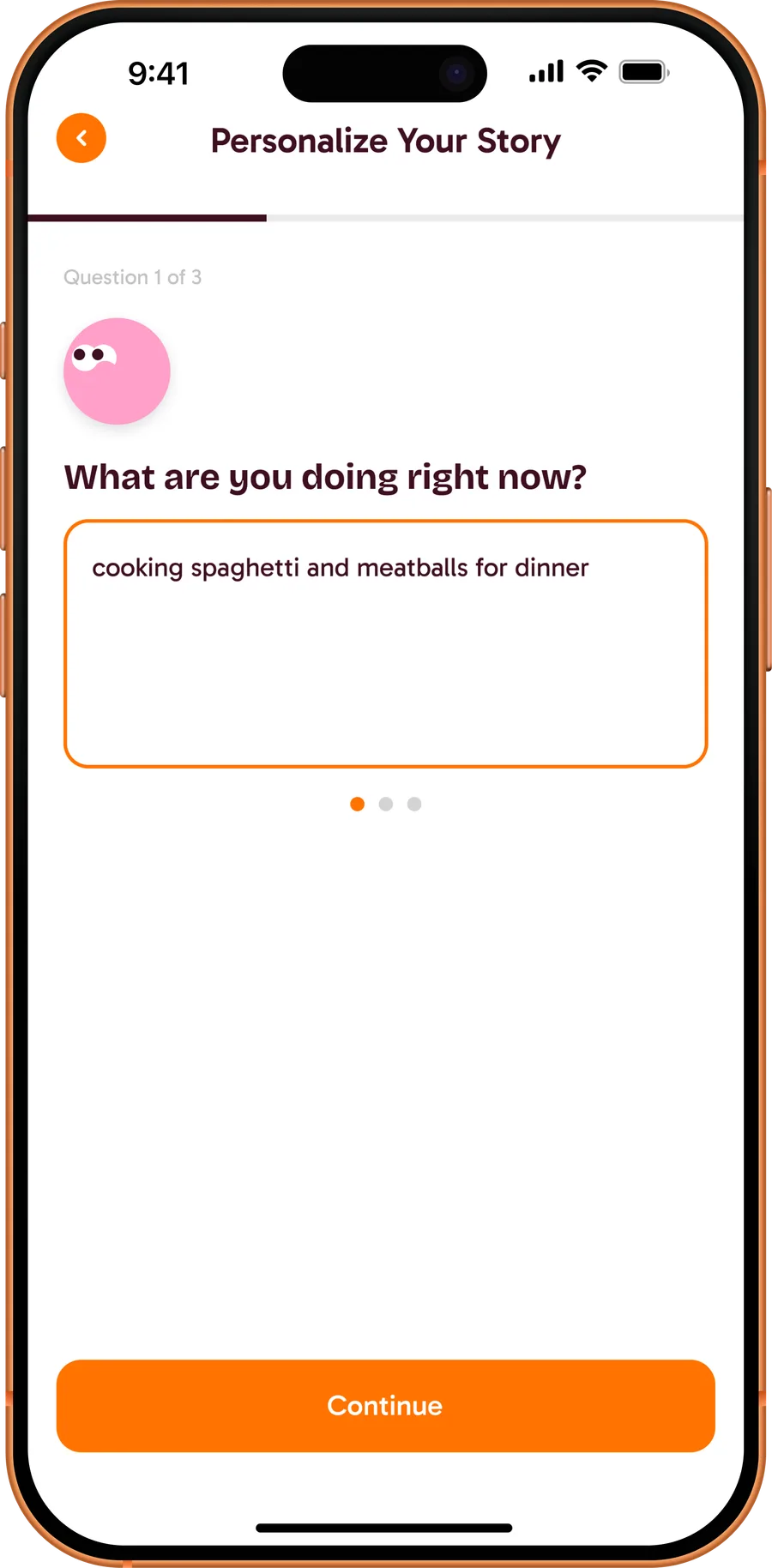
Scribbet meets parents where they are through a companion app built around two modes of use. When time is short, Quick Start lets parents pick a theme they know their child will love and get them drawing in seconds. When context matters more, Contextual mode invites parents to share what they’re doing and where, feeding that into Scribbet’s AI to generate prompts that feel personal and grounded in the child’s day.
Those prompts are delivered verbally through the tablet, so even pre-readers can engage independently. From there, the experience is in the hands of the child: a tap-to-select colour picker keeps the interface simple, letting them focus on the creative act rather than the tool. Parents can passively monitor what their child is being prompted on at any time — in the loop without interrupting the flow.
Once the drawing is done, the experience shifts into a shared one. The app guides parents through a simple set of storytelling prompts to help their child narrate what they made. Parents record their child answering, and Scribbet’s AI turns that transcript into a short personalised story, delivered back to the tablet as a picture book featuring the child’s own drawings.
Multimodal experience
Parents choose between two modes according to the time on their hands and the circumstances they’re in. Context mode customises a story to fit the task they’re completing in that moment, so the child feels connected to it; Quick Start offers preset scenarios when a quick distraction is what’s needed.
Low-stimulation engagement
Screens provide immediate distraction but can be harmful to a child’s cognitive development. Scribbet keeps the engagement low-stimulation, so the distraction is guilt-free.
Passive parental monitoring
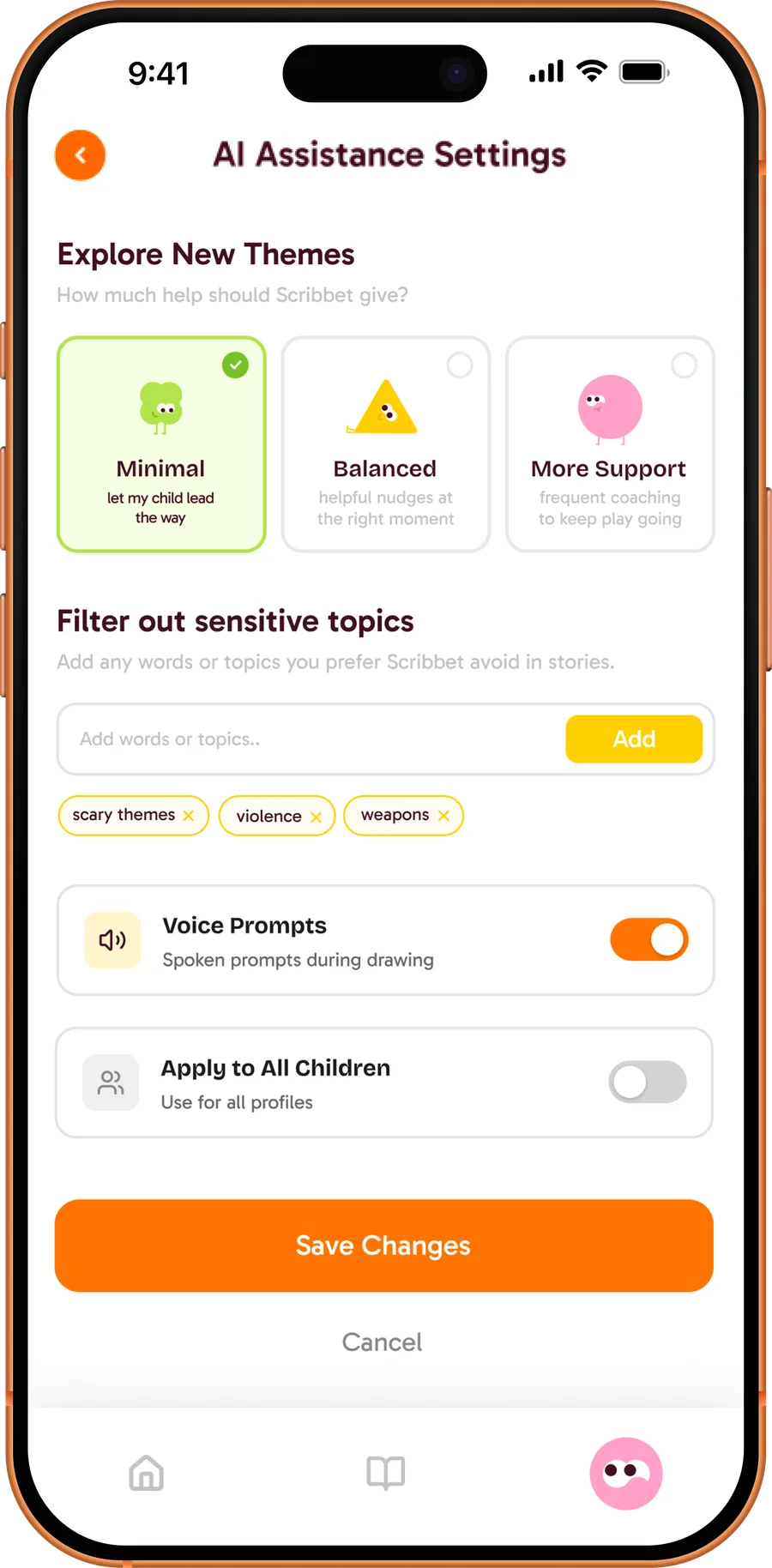
Giving a child an AI-powered toy can be scary, so there are layers of protection: AI restrictions in settings, prompts shown to the parent ahead of time when setting up play, and an idle mode on the companion app that shows what the AI is prompting at any moment.
AI-assisted picture-book creation
After the drawing, parents can return to it with their child at any time and build a story from the app’s prompts. The AI analyses the recorded transcript and writes the book from the child’s own details.
The Scribbet Library Program
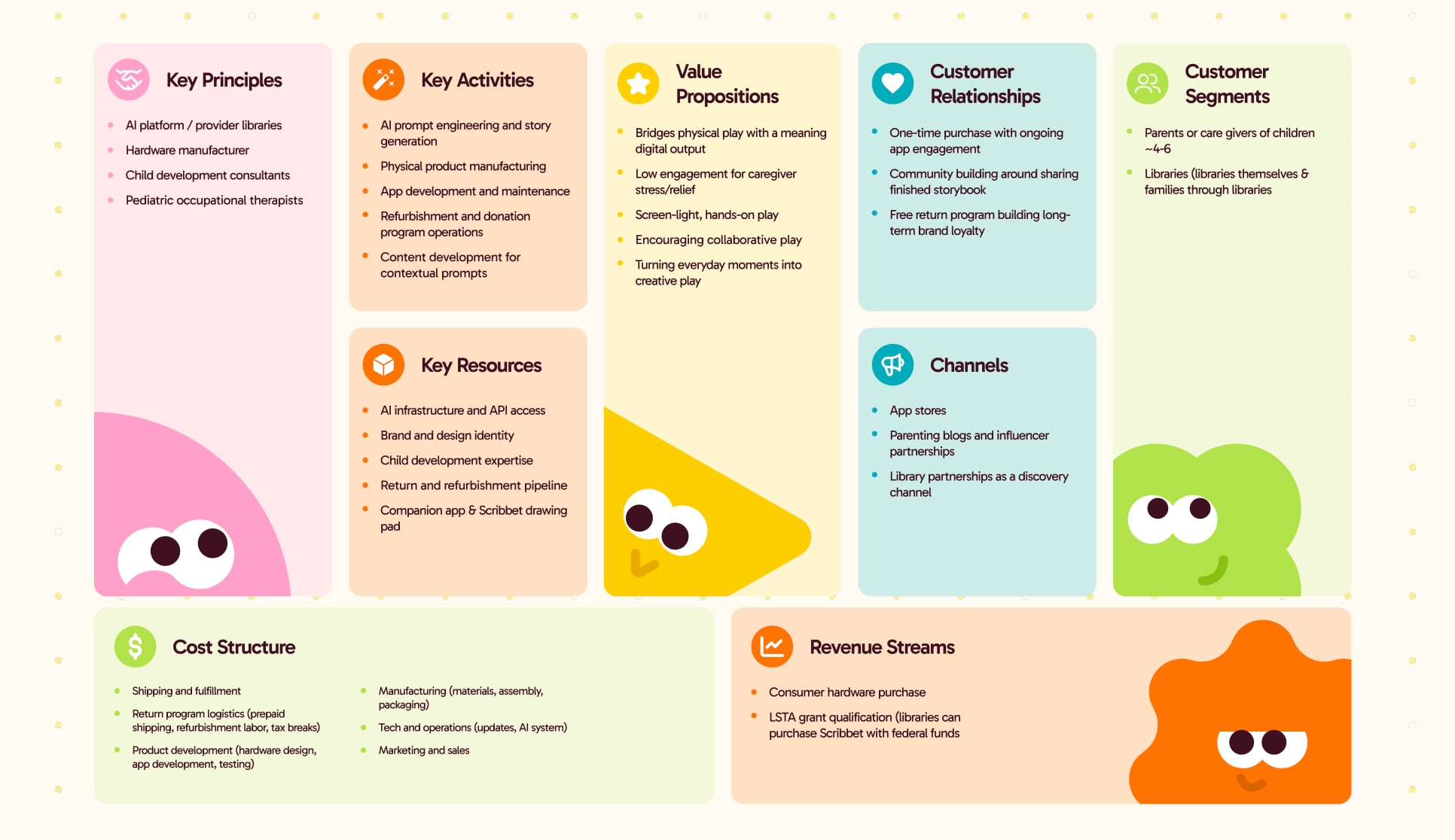
Meaningful, screen-light play shouldn’t be a privilege reserved for families who can afford it. When families are done with their Scribbet, they ship it back for free; we refurbish it, reset it, and donate it to public libraries, where the next family can check it out like a book.
A day with Scribbet
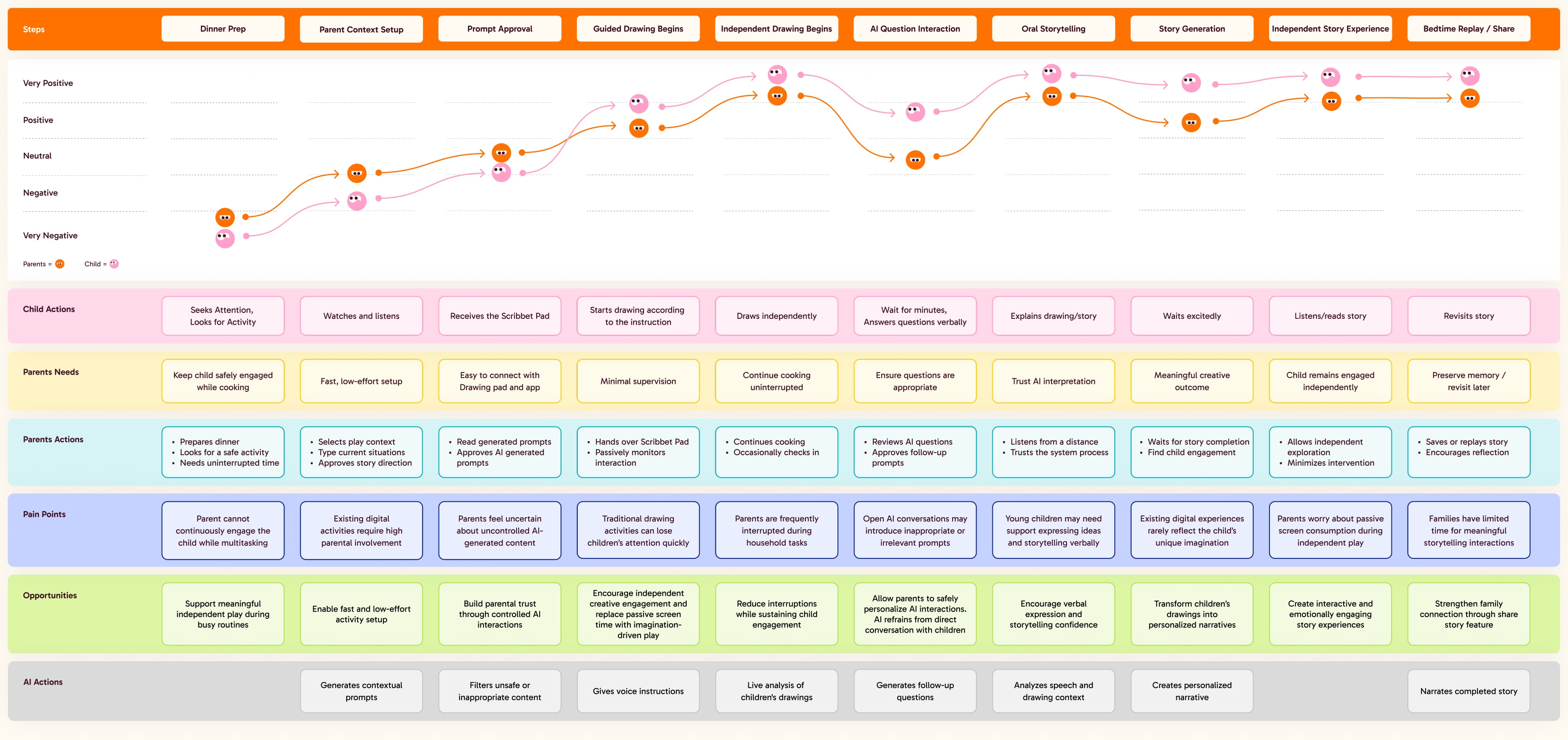
From dinner prep to bedtime replay, ten steps: what the child does, what the parent needs and does, where it could go wrong, and what the AI is doing underneath. The two lines are the parent’s and the child’s mood — both start low at dinner prep and end high at share.
Prototype & testing
Before building, we wrote down what success would look like: parents set up in under 30 seconds; the child stays engaged for 5–10 minutes independently; the parent completes a simple task uninterrupted; parents express trust in the content and the AI’s behaviour; the child shows imagination, verbal expression, and continued interest.
The prototype was Wizard-of-Oz: a human reacted in place of the AI, story output was pre-recorded, and voice recognition was a manual trigger — enough to test decision-making, effort, and trust without building the model.
Testing with families surfaced four things at once:
Key iterations
- Differentiated Personalise and Quick Start modes through stronger visual hierarchy and clearer calls to action.
- Refined the UX writing to make story setup, prompts, and navigation easier to understand.
- Expanded Idle Mode to support more independent child interaction during story creation.
- Added a parent flagging system for unsafe, unclear, or off-topic AI-generated drawing prompts.
- Moved Post Play to the child’s side of the tablet — more AI on the child’s side, less dependency on the parent.
What I designed
I led UI and visual design: the five characters, the visual system, and the companion app’s screens from wireframe to hi-fi — an interface a tired parent can use one-handed at 5:47 PM.
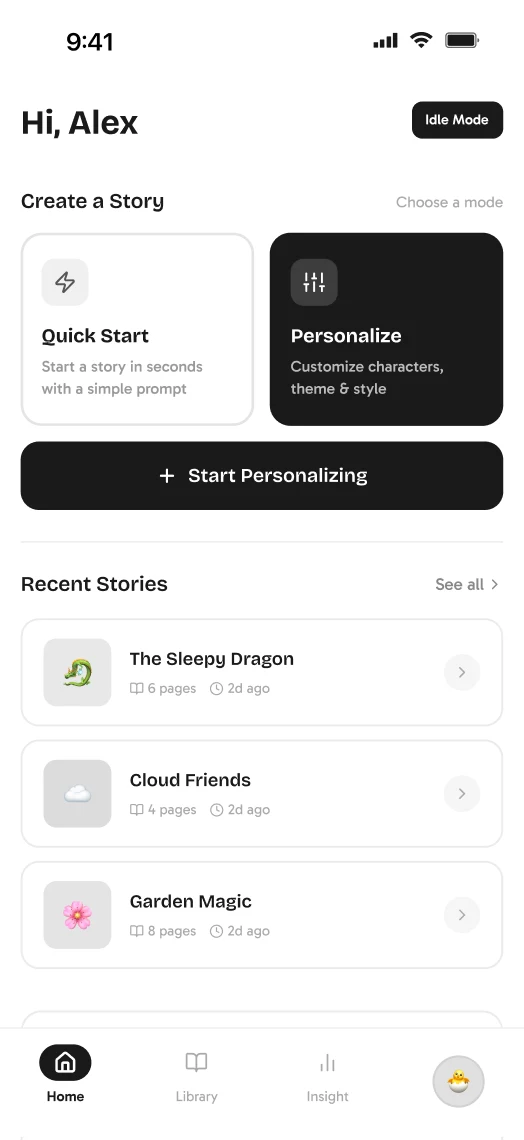
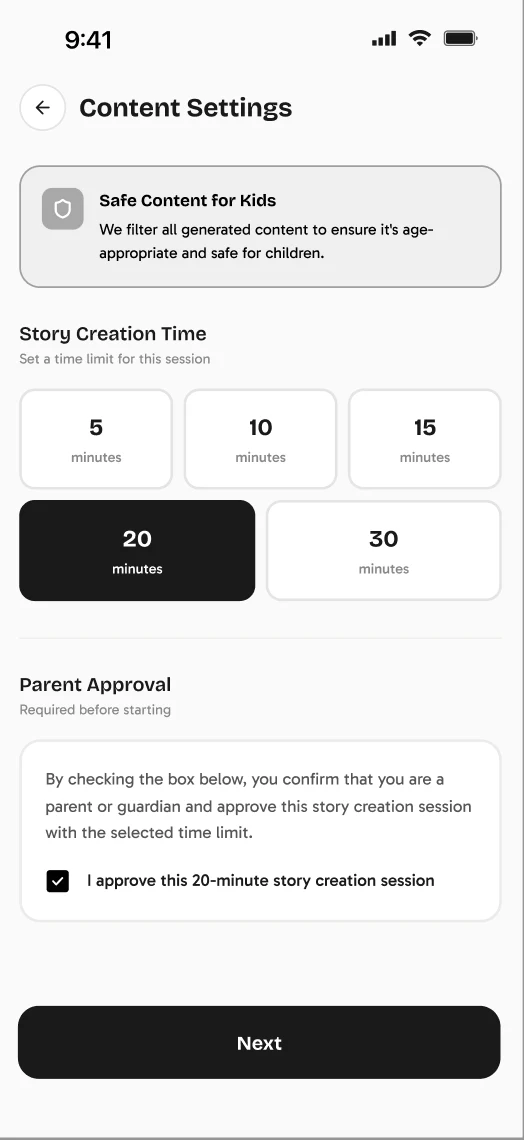
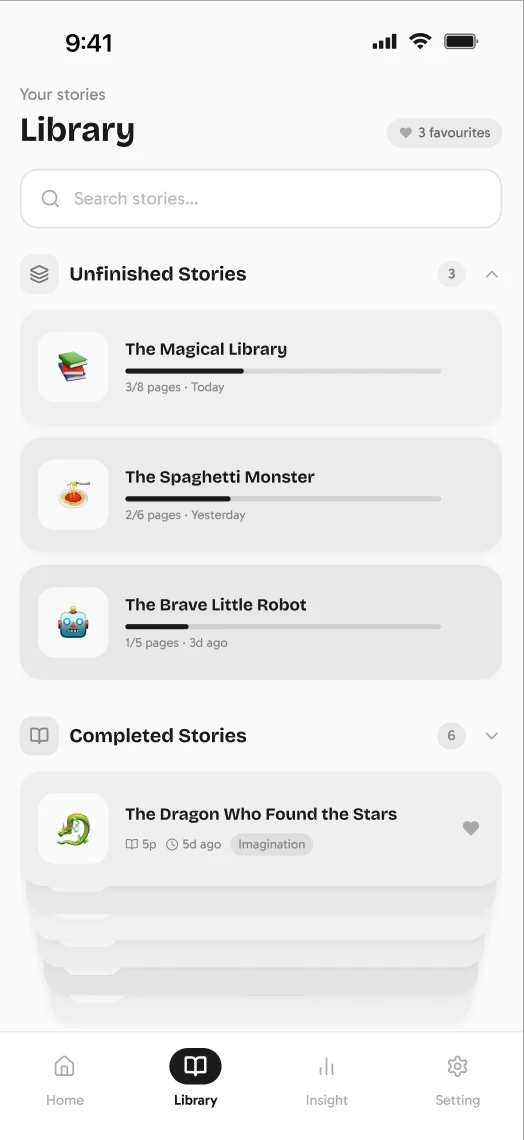
The wireframes had the right bones and the wrong weights. Quick Start and Personalize sat as two identical tiles, AI controls lived inside the family profile, and the library was a list of grey rectangles. The testing above — four parents, two children — made the problems specific. Three of them were mine to fix; the screens under Key screens are the answers:
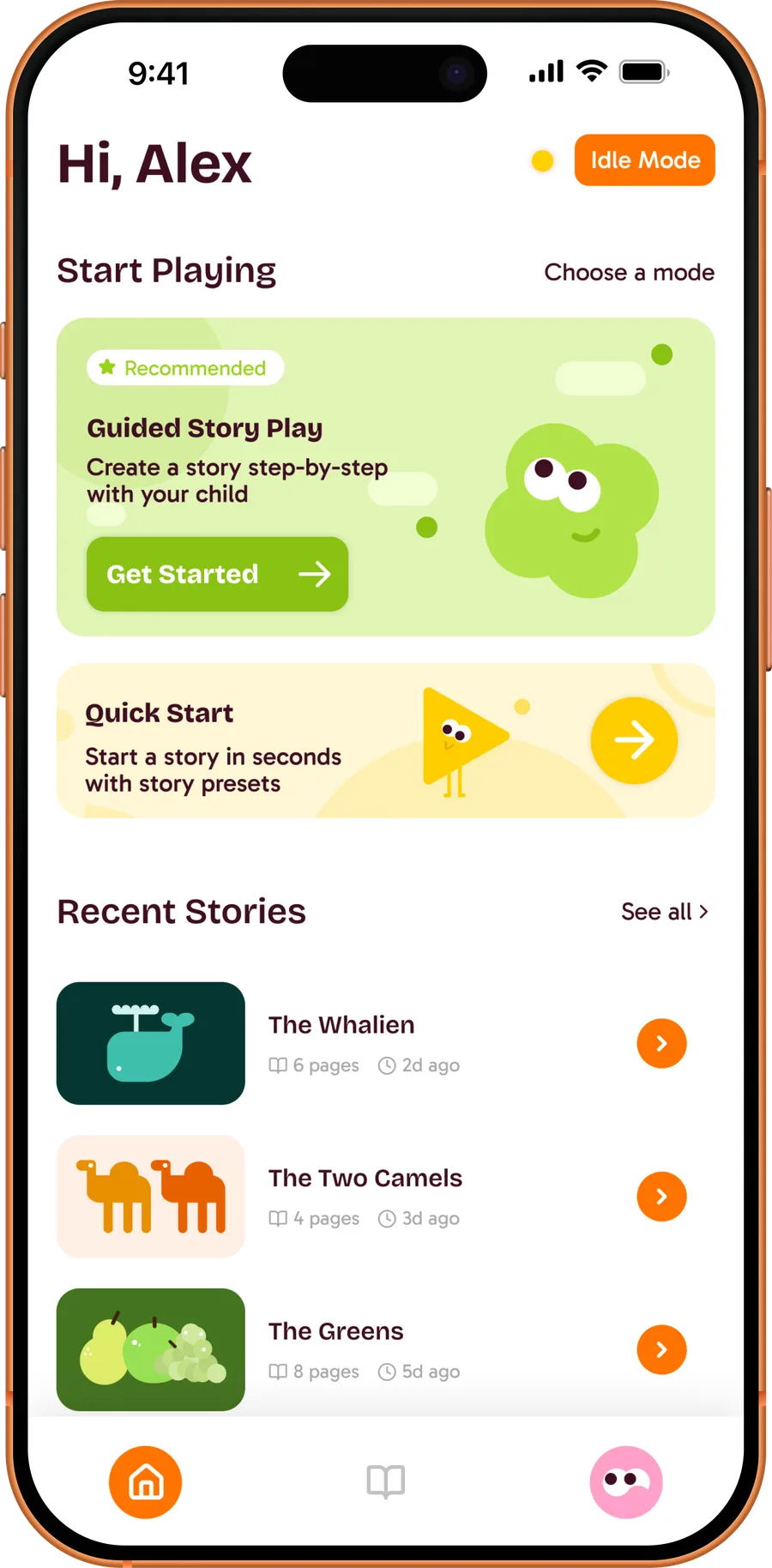
- 50% defaulted to Quick Start, then backtracked when it didn’t match their goal. The two modes needed different sizes, not different icons. In hi-fi, Guided Story Play became a full-bleed recommended card with its own character; Quick Start became a narrower band underneath, and opens as a sheet with three preset moods and a Surprise me.
- 50% thought AI settings were buried. I pulled them out of the profile into their own screen — AI Assistance Settings — and turned a slider into three named levels, Minimal, Balanced, More Support, each with a character so the choice reads at a glance. Sensitive-topic filters became chips a parent can type and remove.
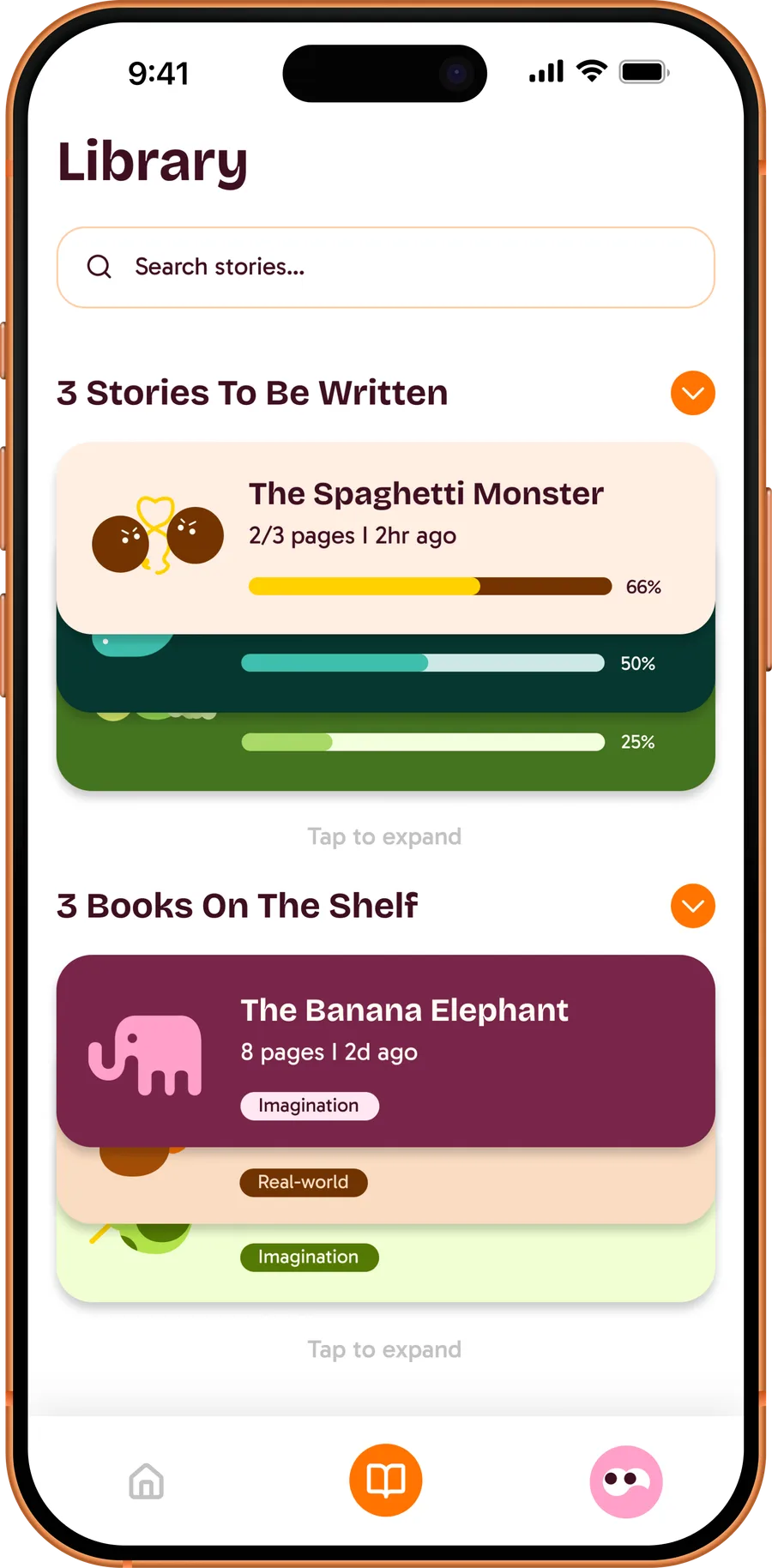
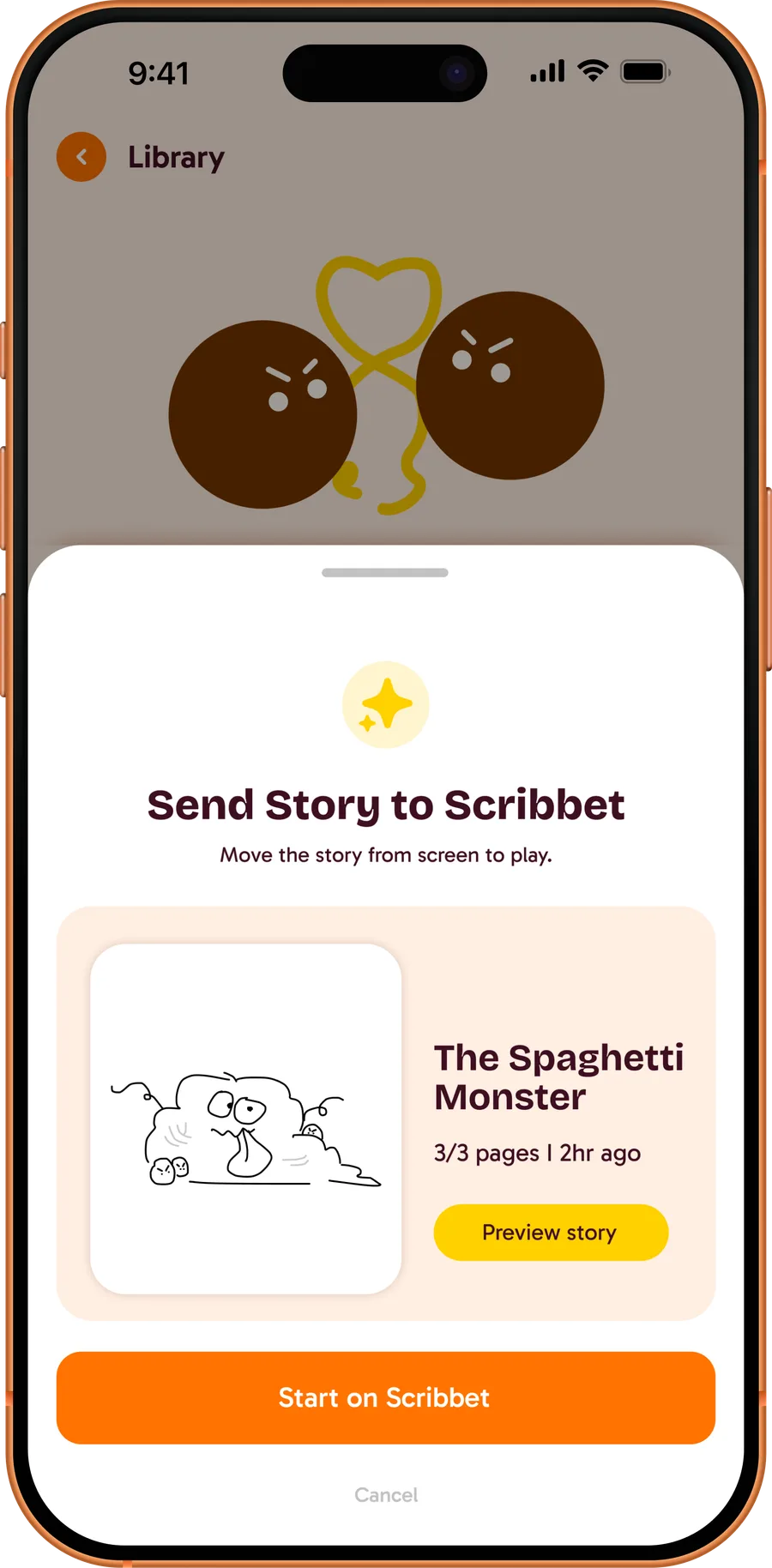
- 75% couldn’t find past work or tell what the outcome would be. The library got two plainly named shelves — Stories to be written and Books on the shelf — with progress bars on the unfinished ones and a stacked-card affordance that expands on tap. The handoff screen says in one line what happens next: Move the story from screen to play.
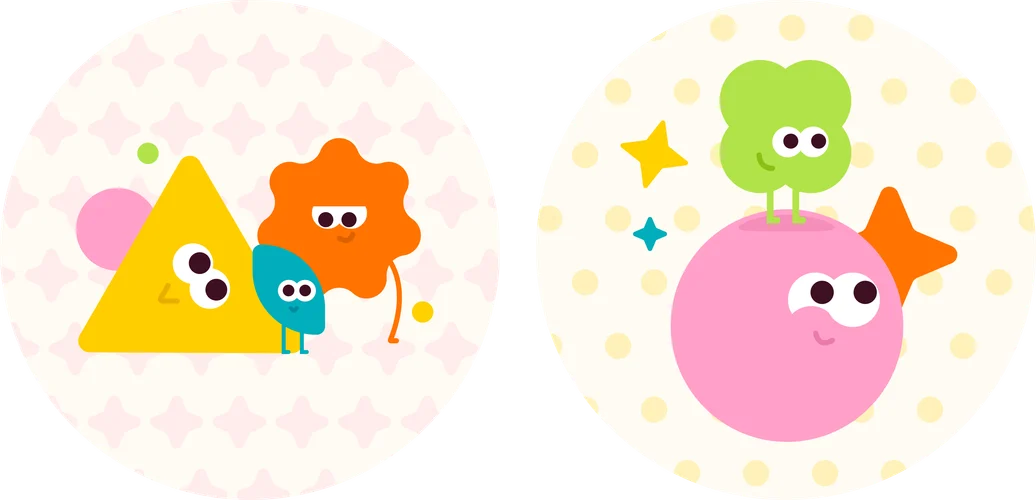
The visual system underneath: a cream ground, plum ink, and one orange reserved for the primary action on every screen, so a parent’s eye always lands on the one thing to press. I drew the characters first and let them do the talking: the pink face asks the personalisation questions, the green one recommends, the yellow triangle is quick and silly. Each is a shape a four-year-old could draw — two eyes and a mouth, nothing else — which kept the AI feeling like a helper with a face rather than a system with a setting.

Key screens
UI kit
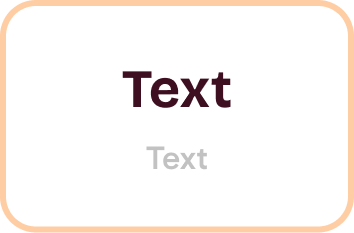
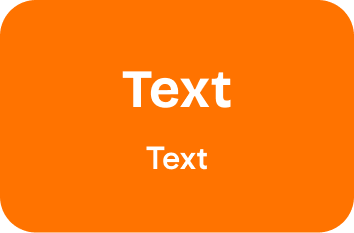
Every screen is built from a small set of parts, so a parent learns the app once. One orange for the action that matters, the plum ink for words, a cream ground that stays quiet under children’s drawings; states are told by fill, not by colour alone.
Colour and type
- Title
Components













The tablet
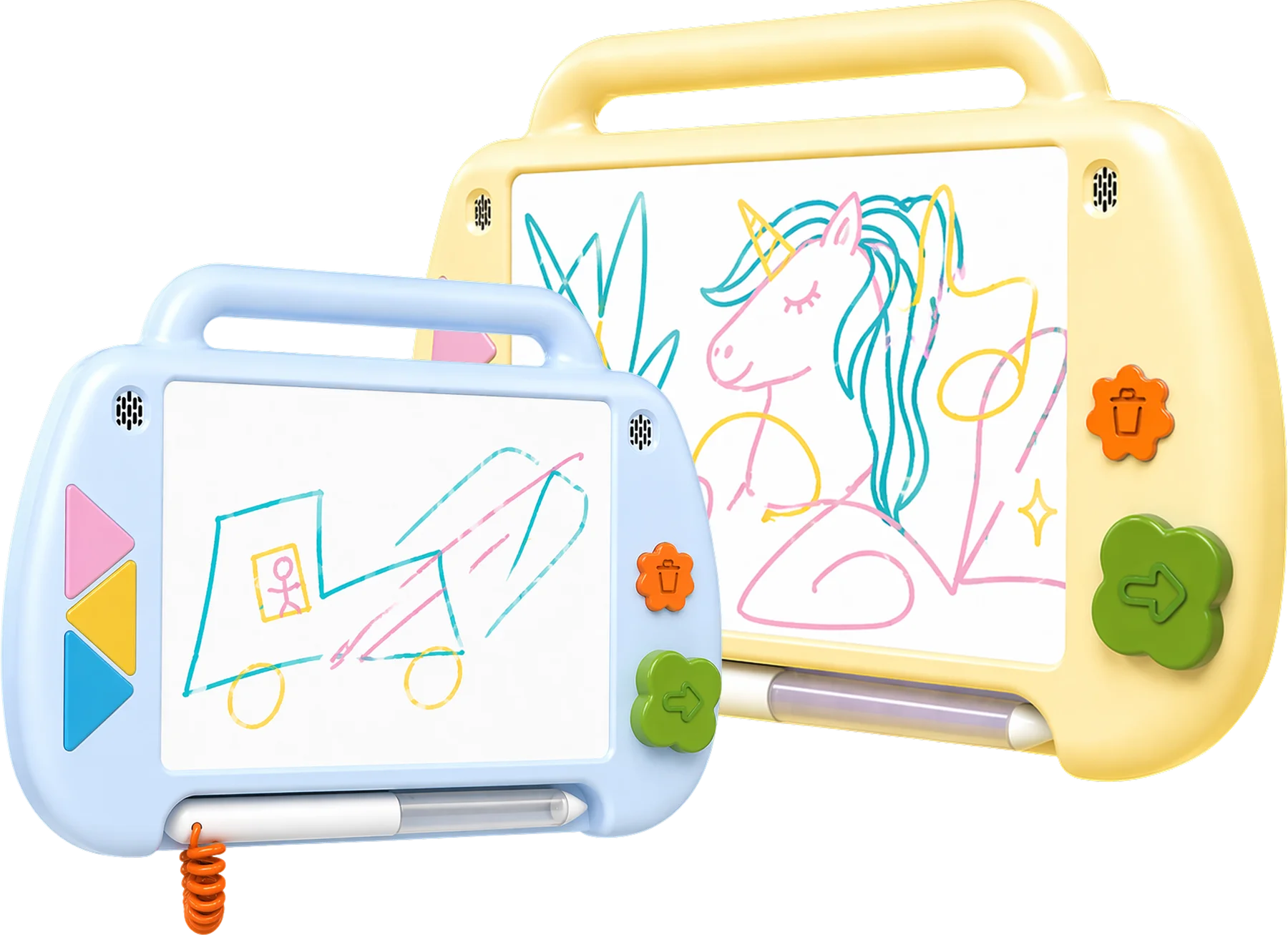
A handle, a stylus on a coiled cord, three colour keys, and two buttons — a flower to discard, a clover to capture. The form stays familiar and small-hand friendly; the buttons are the characters, so the tablet and the app speak the same language.
AI as a constraint
The biggest challenge was integrating AI into the storytelling flow while keeping child safety at the front. The system is six parts, and every generative step has a moderation step beside it: a constrained prompt engine generates age-appropriate drawing prompts from parent input; text-to-speech reads only approved prompts aloud; computer vision watches the drawing in real time to suggest contextual prompts, while a parallel moderation layer scans the same drawing for unsafe content; speech recognition turns the child’s answers into text; and a constrained model assembles those answers into the structured story. Nothing reaches the child that a parent couldn’t have seen first.
Business model
Two customers, one product. Families buy the tablet outright; libraries qualify for it through LSTA federal grants and lend it like a book. Refurbishment is a cost we chose to carry, because the second family is the point.
Demo day
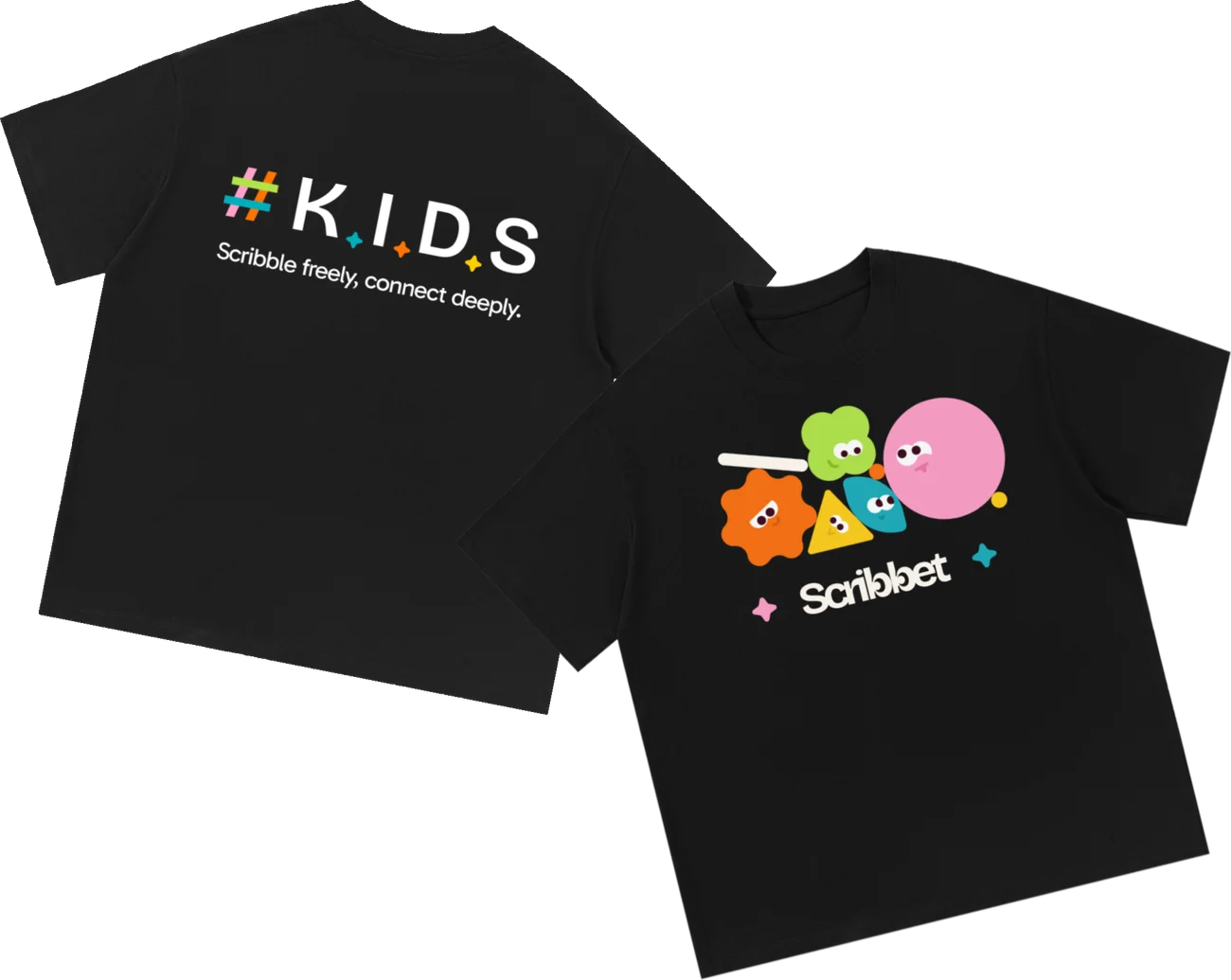
For the final show we made the characters physical: a sticker sheet, two pin badges, and team shirts.

Impact & next steps
One goal arrived late. Secondary research had pointed at libraries as trusted community spaces; conversations with a library programme coordinator turned that into a model. Through the refurbishment cycle, returned devices are reset, catalogued, and lent out through existing technology-lending systems, so the family that can’t afford a Scribbet gets the same one the family before them did.
Next
Four things we’d do next, in the order we’d do them.
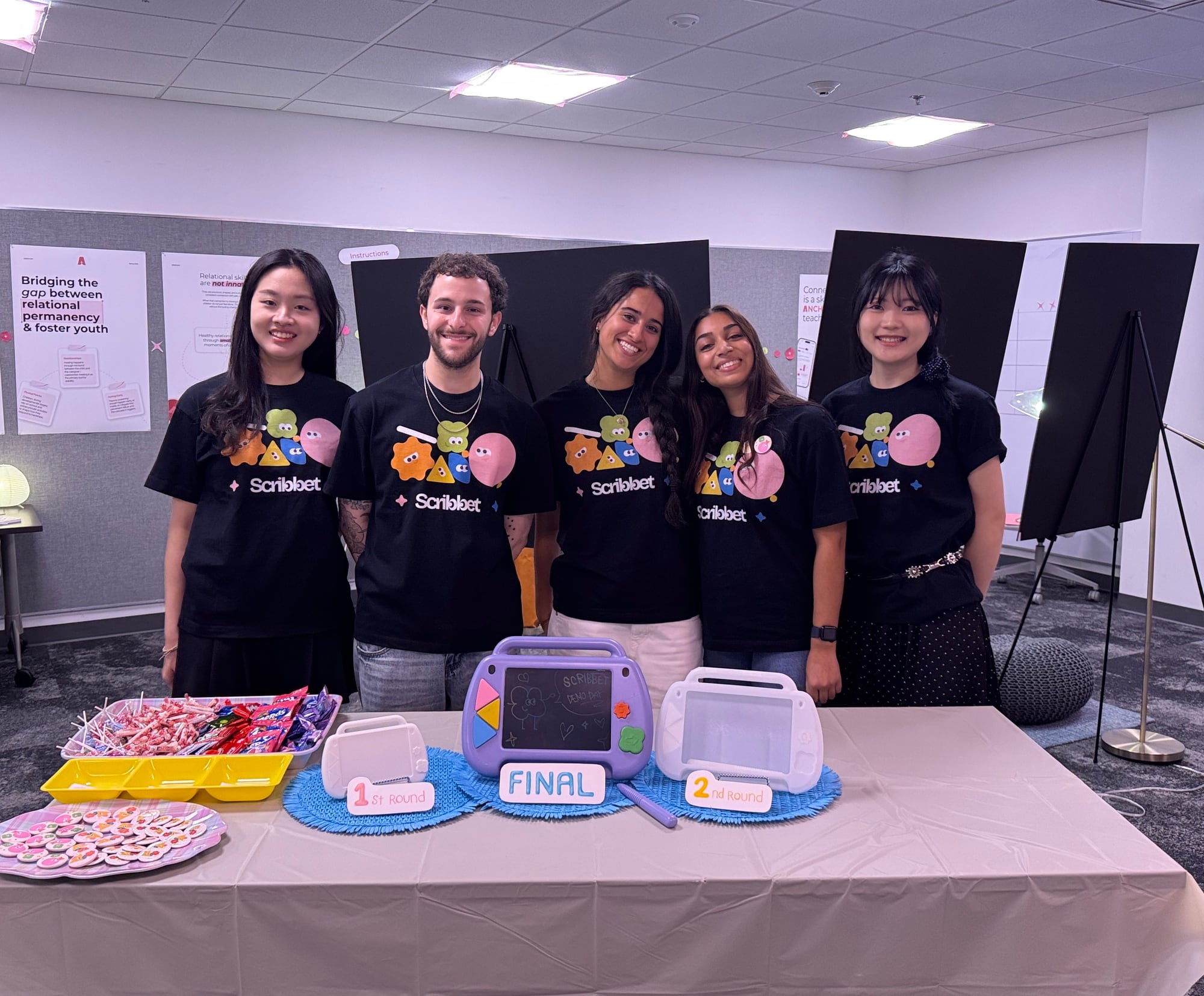
Scribble freely, connect deeply.