Work 03 / 07
National Museum of Korea
An individual project over two weeks: an information architecture and mobile landing page for the National Museum of Korea, built around the visitor's first question rather than the institution's org chart.
An unofficial concept
An individual project, two weeks, for 국립중앙박물관, the National Museum of Korea. Designed against the museum’s current site rather than with it, and unofficial: not affiliated with or endorsed by the museum.
Every photograph and exhibition image on this page belongs to its original owner and is credited to them. Images: National Museum of Korea.
Organised around the institution
The museum is the third most visited in the world and the information is all there. It is arranged, though, the way the organisation is arranged, not the way a visitor arrives.
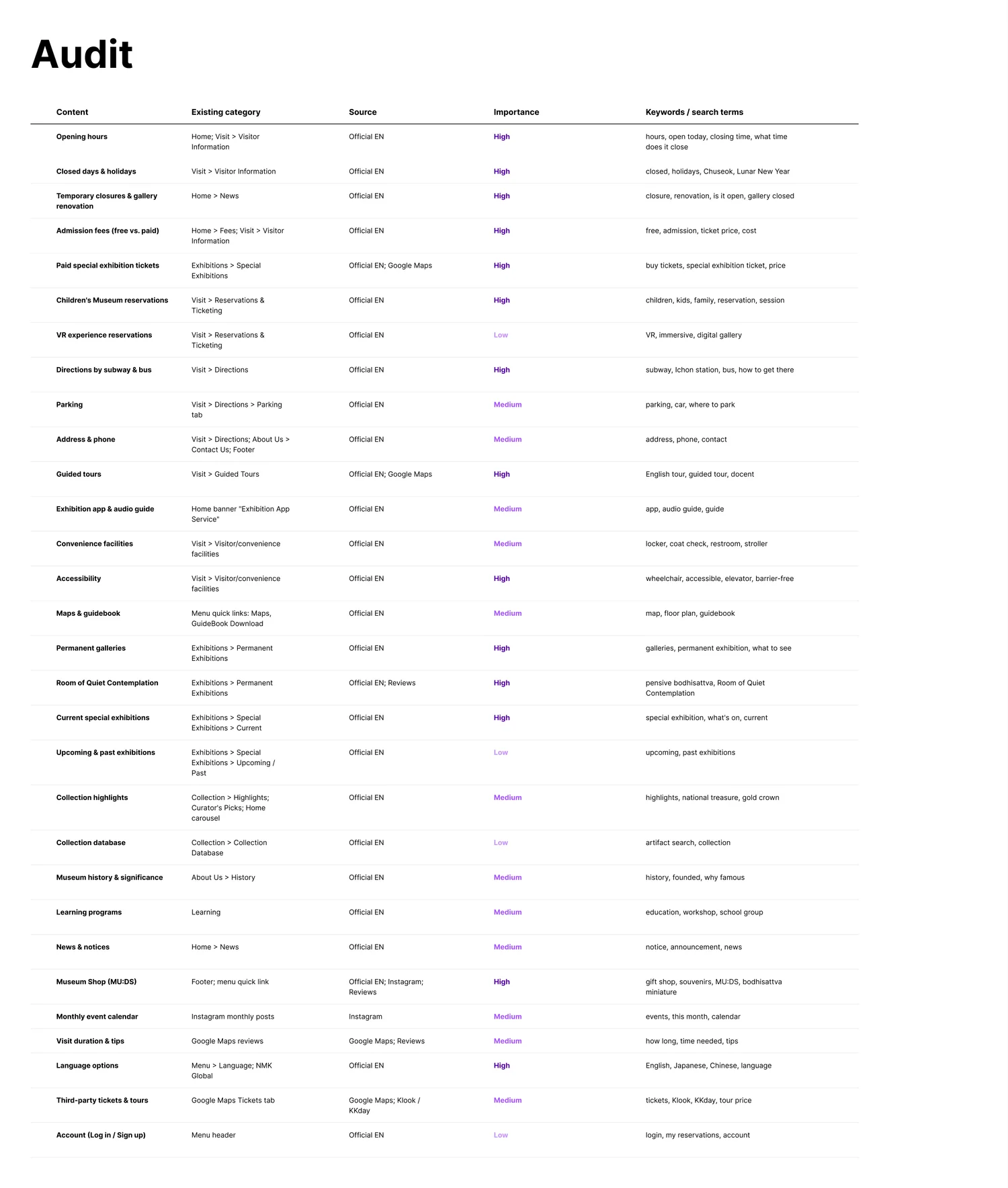
Hours sit under Visitor Information while closures are filed under News, so the one fact that decides a trip is split across two places. Free admission isn’t obvious: the free permanent galleries and the paid special exhibitions share a single fees page. And the MU:DS shop, which draws the strongest interest on Instagram and in reviews, is linked only from the footer.
What’s actually on the site
Thirty pieces of content, pulled from the official site, Google Maps, reviews, ticketing listings and Instagram. Each one rated for importance and written down with the words a visitor would search for it by, not the name the museum files it under.
Three visitors, one first question
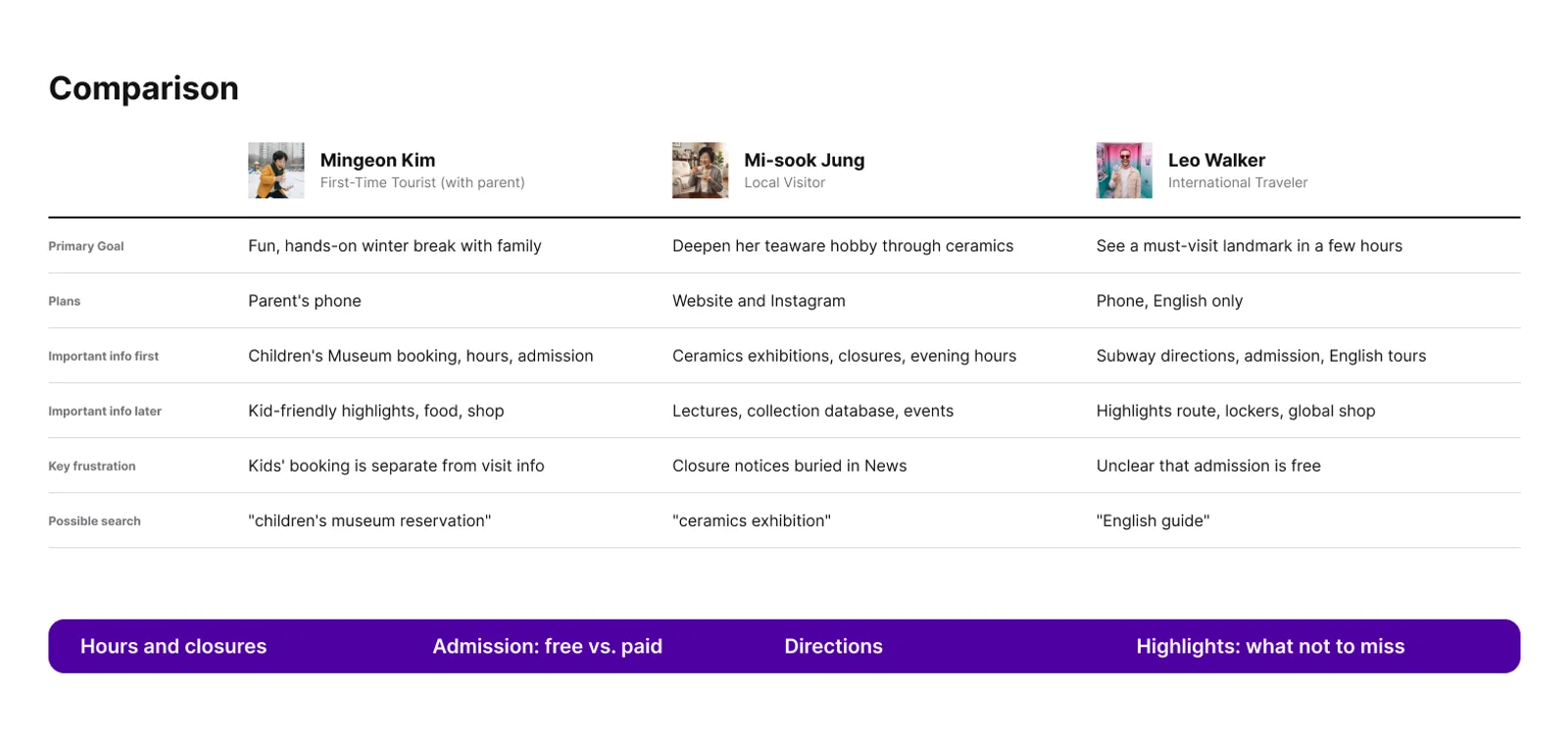
Three profiles: a first-time tourist visiting with a parent, a local, an international traveller. They want different things from the museum and the same three things from the website: hours, admission, directions, before anything else.
Each then hits a different wall: children’s booking is a separate system, closures are buried, free admission is unclear. And none of them searches for a page name. They search for a task.
Card sorting: where the agreement stops
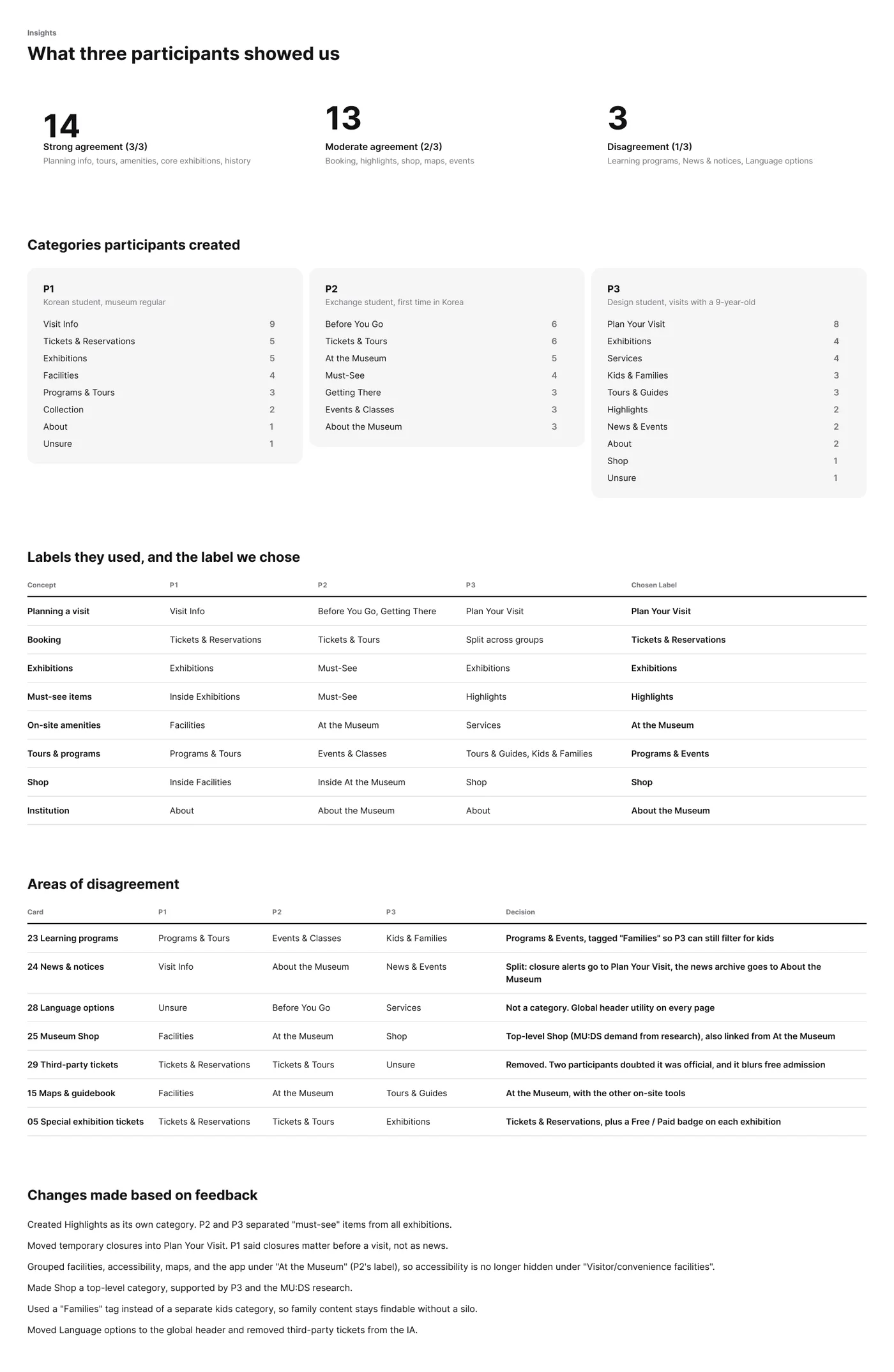
The thirty cards were sorted three times. Agreement was strong where the museum and the visitor already see the same thing, and fell apart exactly where the current site is confusing.
Planning, tours, amenities, the core exhibitions and the history sorted themselves. Booking, highlights, the shop and maps did not. And one card refused to be a category at all: language options is not a place you go. It moved to the global header, where it belongs.
Eight categories and one word for each thing
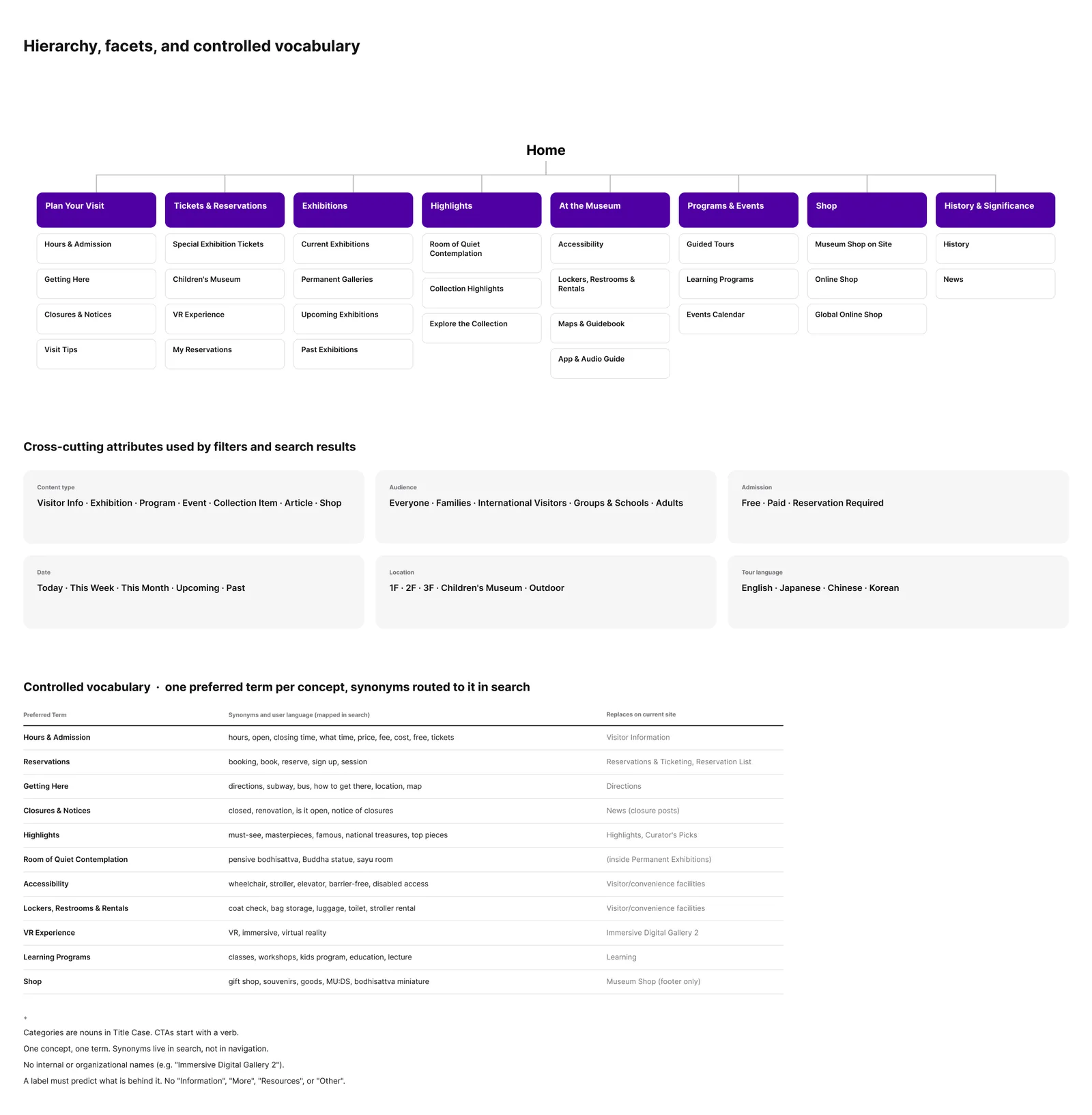
Eight visitor-centred categories replaced six built around the institution. The rules under them matter more than the count:
One preferred term per concept. Sayu room, coat check and the rest are real words visitors use, and they route to the one official term instead of fragmenting it. Calls to action name the action and the object: Buy Exhibition Tickets, never Learn More. One set of facets (content type, audience, admission, date, location, language) carries filters and search results alike, so a thing described once is findable everywhere.
The landing page as the hub
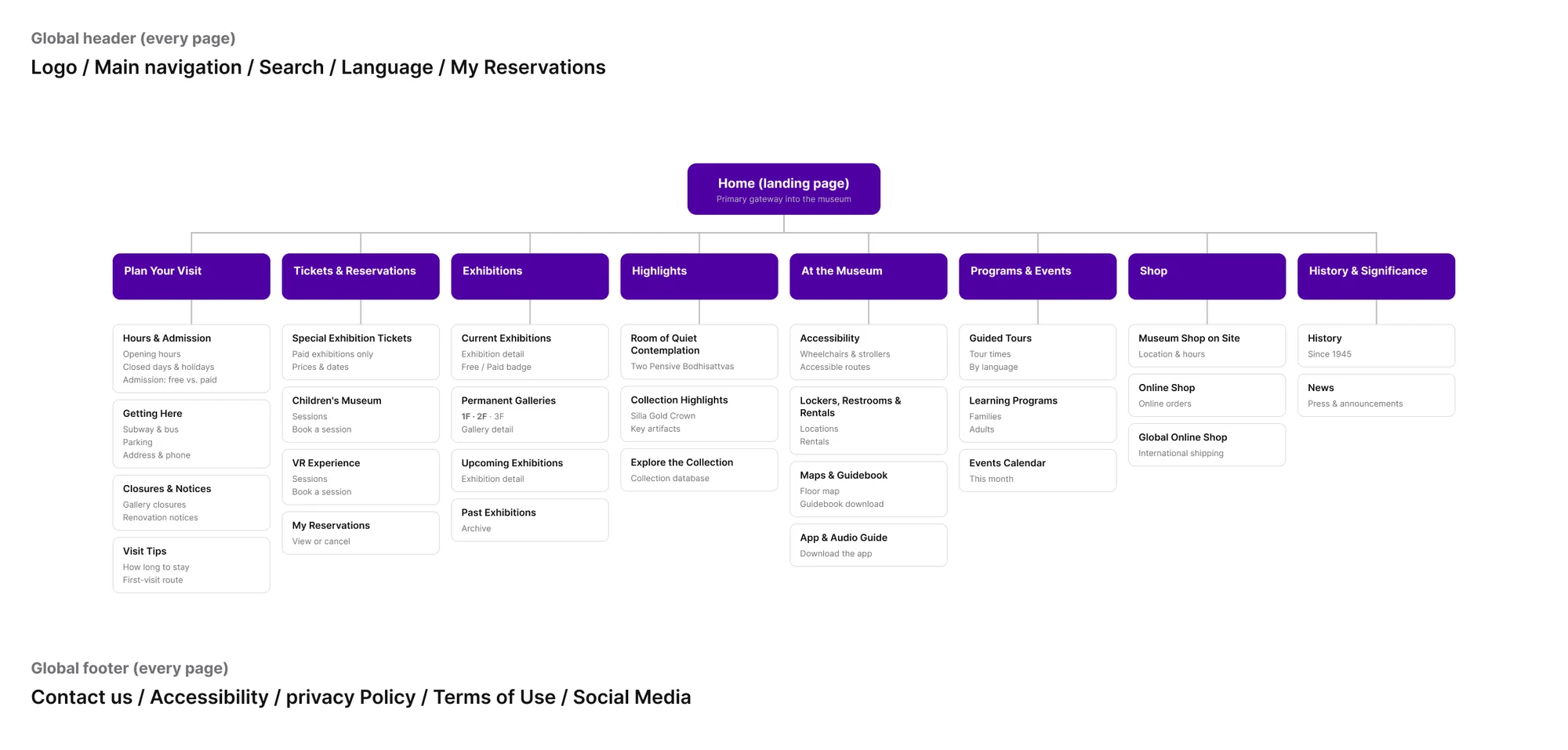
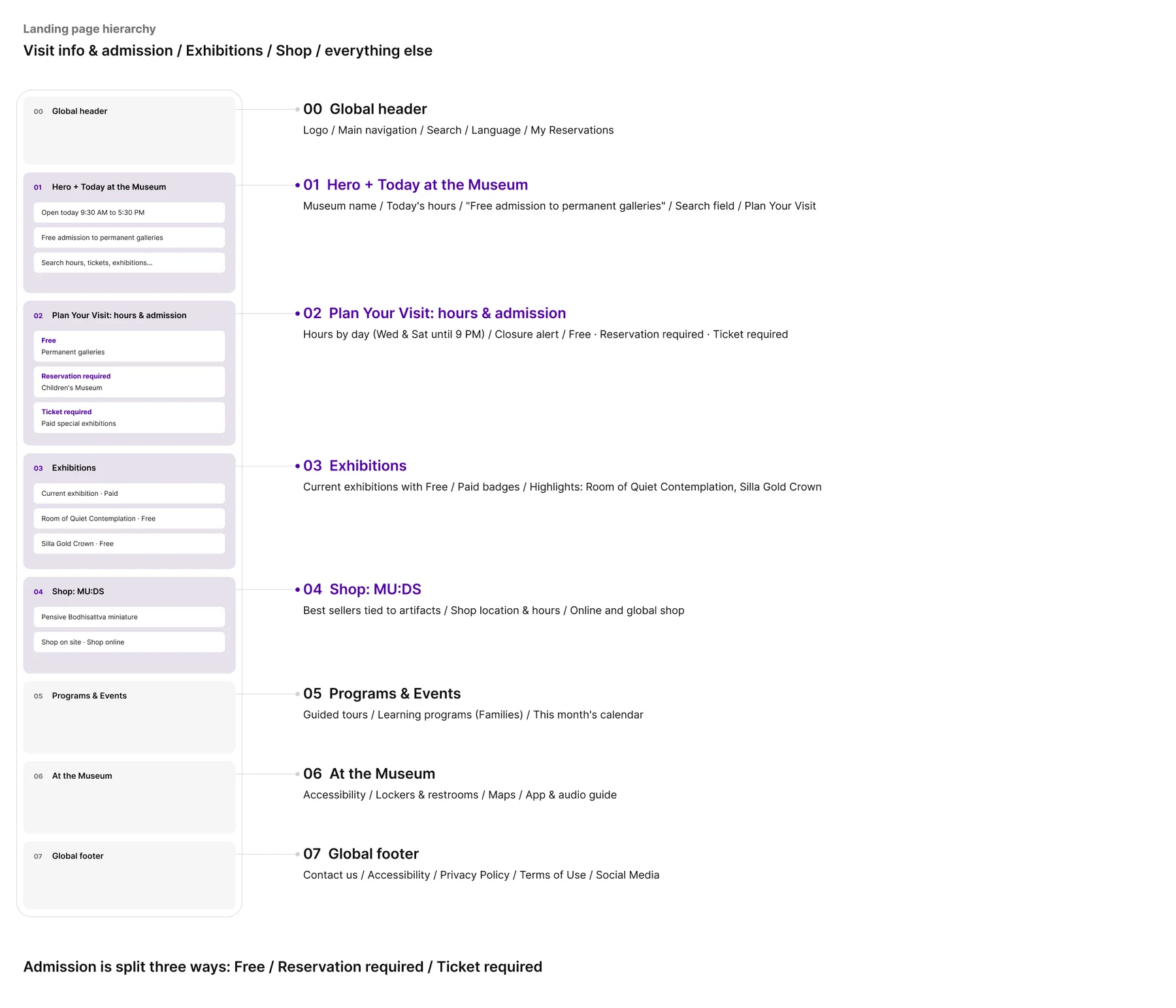
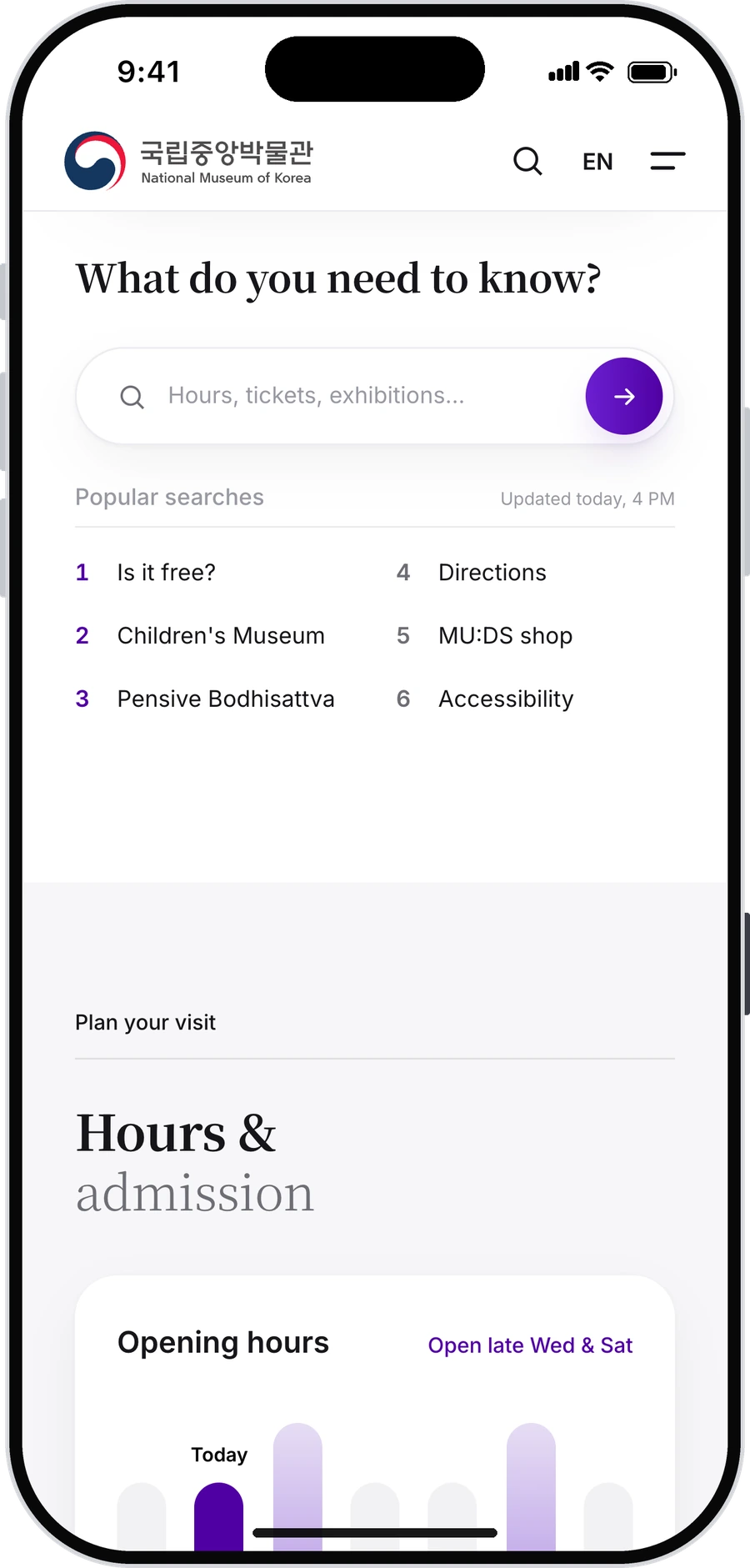
All eight sections sit one tap from the landing page, in the order a visit happens: today’s status and free admission, then exhibitions, then the shop, then programmes and on-site help.
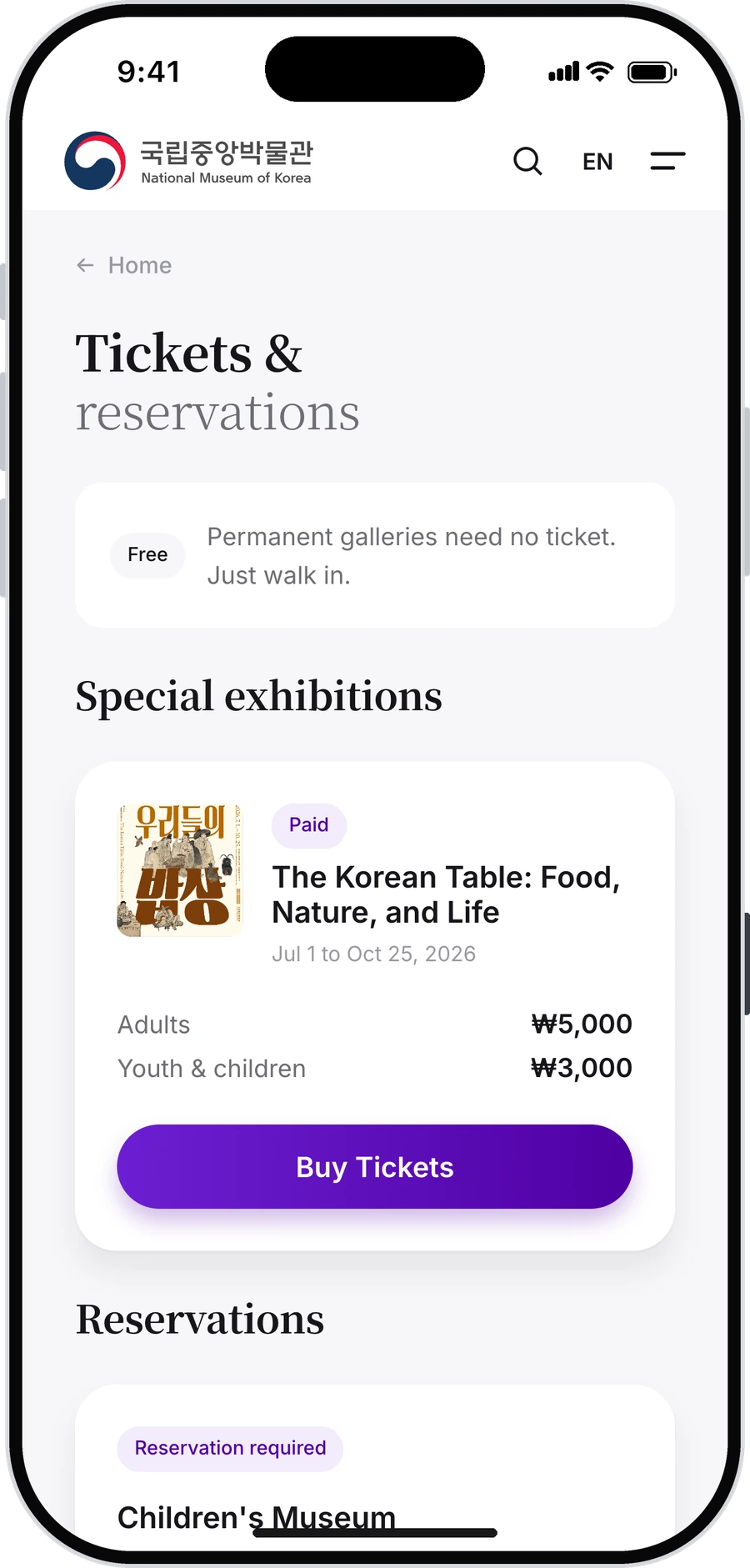
Admission is split three ways rather than left as one word: free, reservation required, ticket required. Those three cases look identical on the current site, and they are the ones people get wrong.
Search answers inside the results
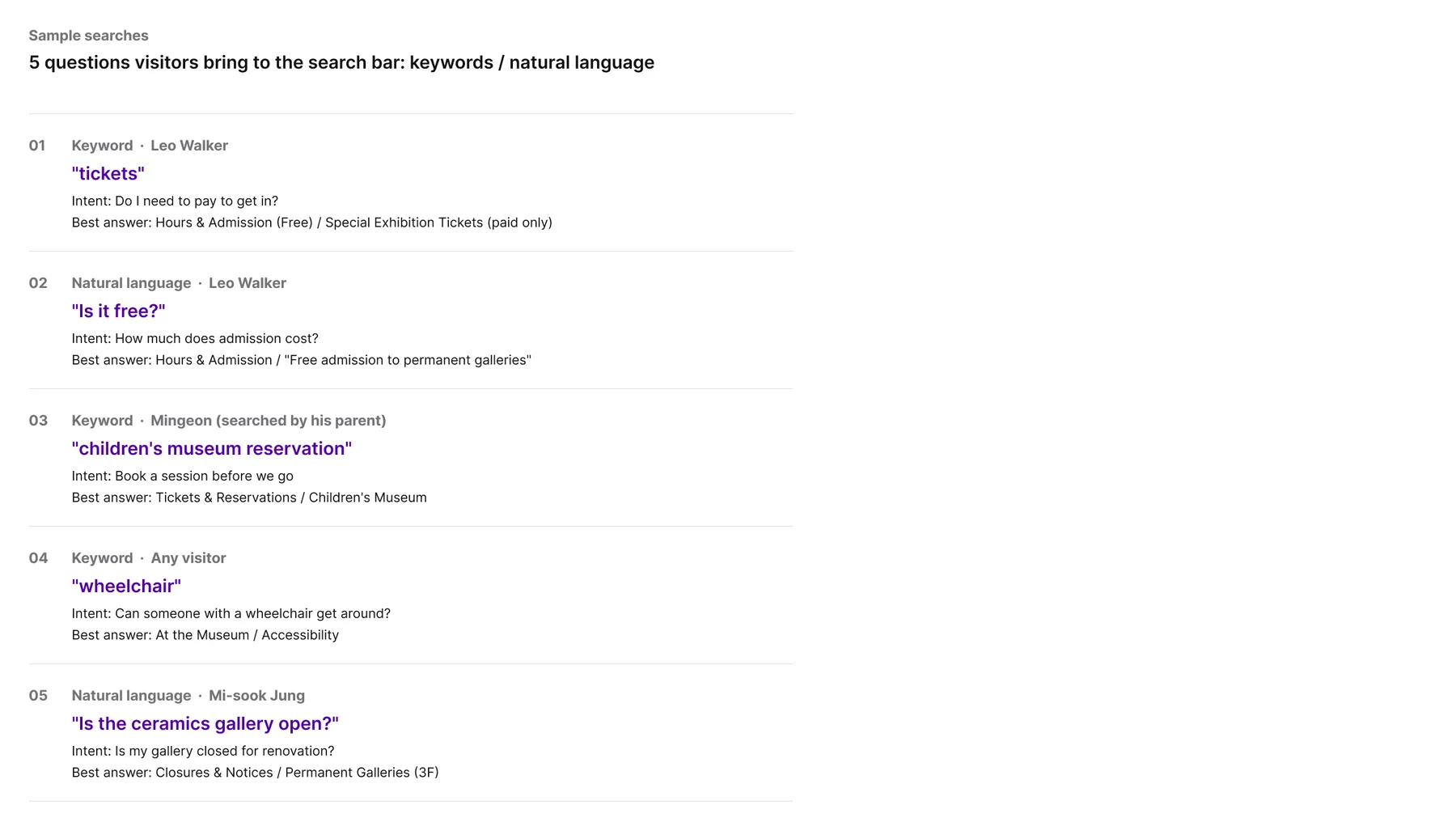
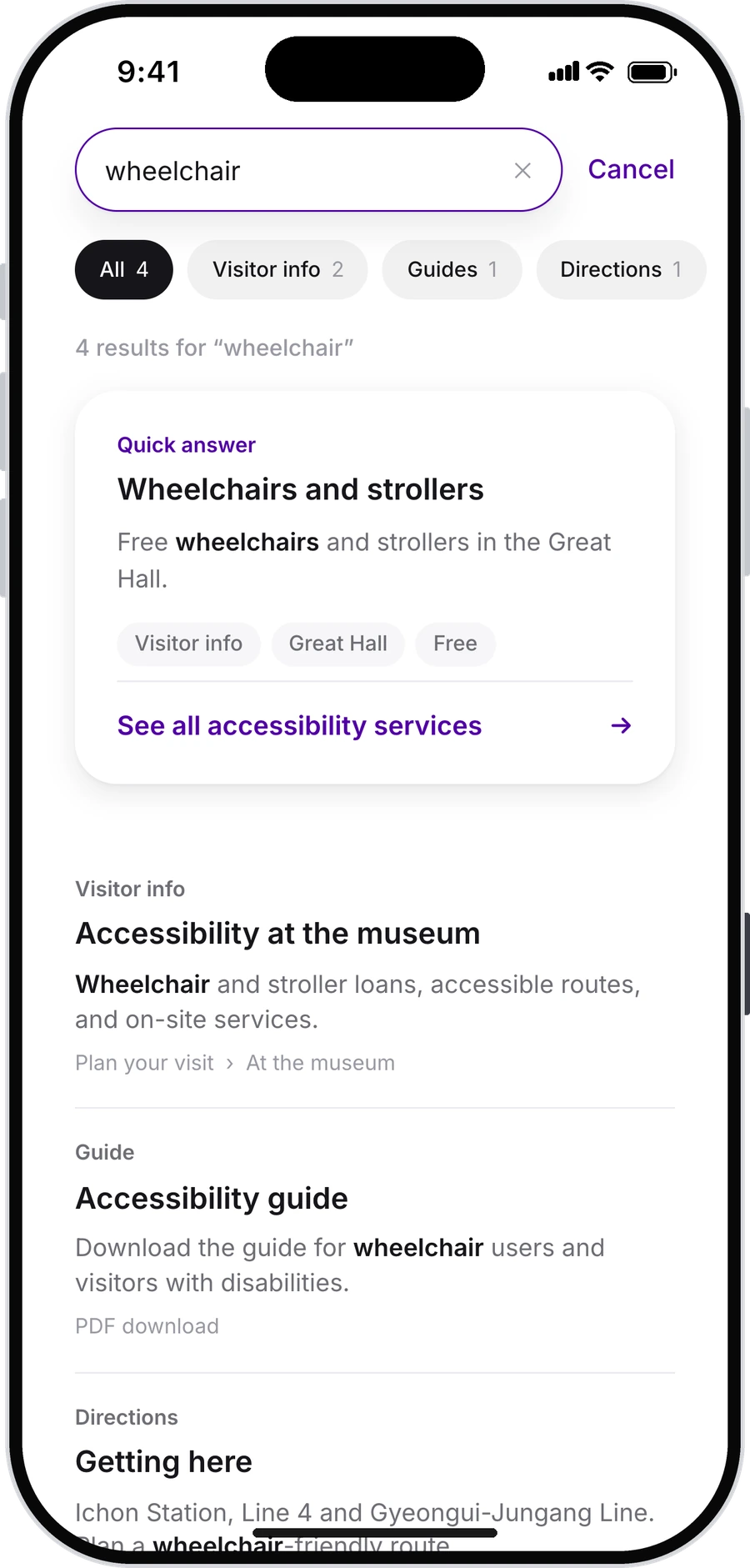
Five sample searches, written both ways people actually type: keywords (tickets, wheelchair) and whole questions (Is it free?, Is the ceramics gallery open?).
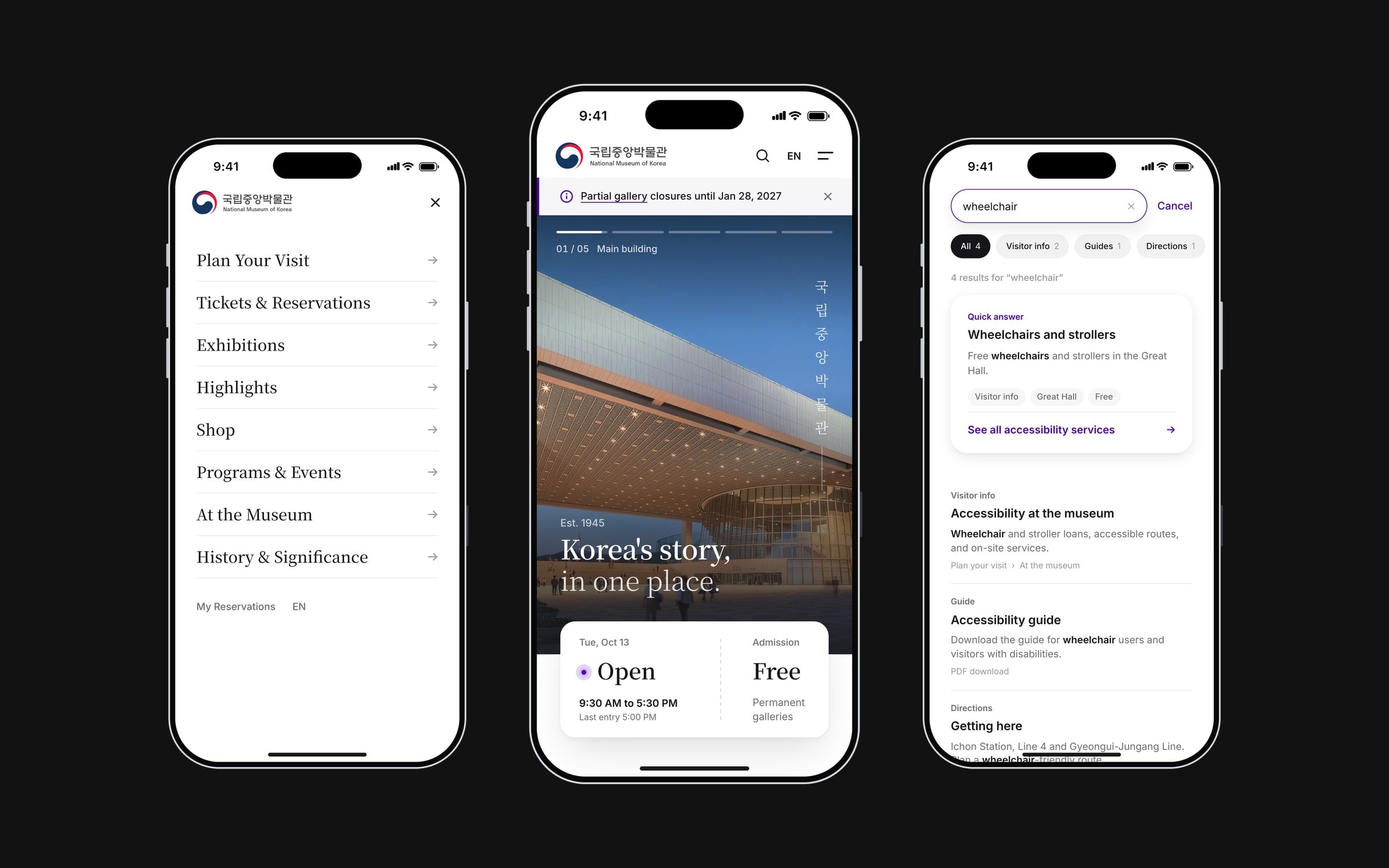
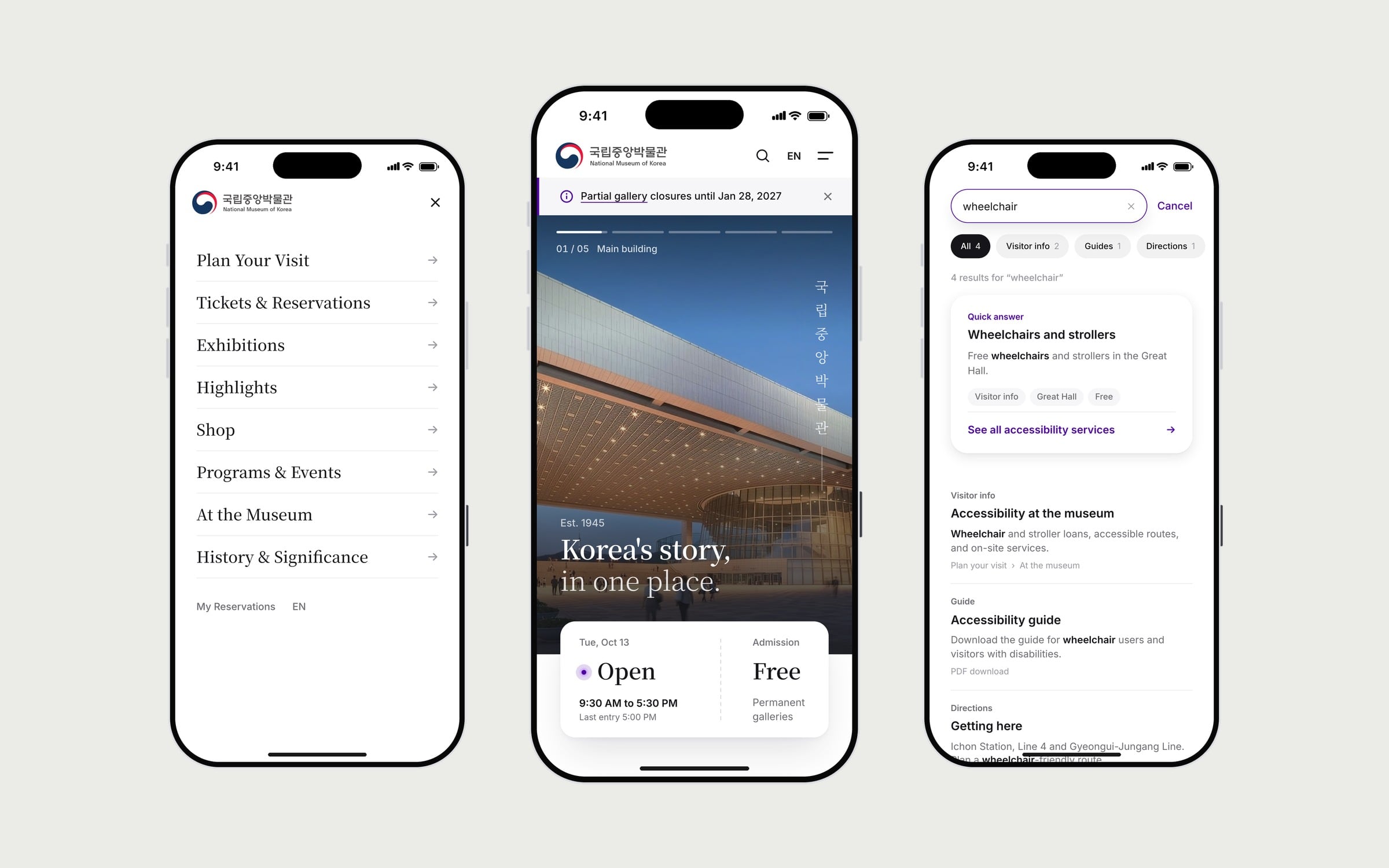
Typing wheel suggests the full query, jump-to pages and recent searches. The results page opens with a quick answer before the ranked list, each result carrying its type, its section path and the matched term in bold. The no-results state offers related topics and a search tip rather than a dead end.
The page itself
Light and editorial. The Today card overlaps the hero with open or closed, today’s hours, last entry, and Admission: Free for the permanent galleries. The status is computed from Seoul time, so it is true whenever the page is opened.
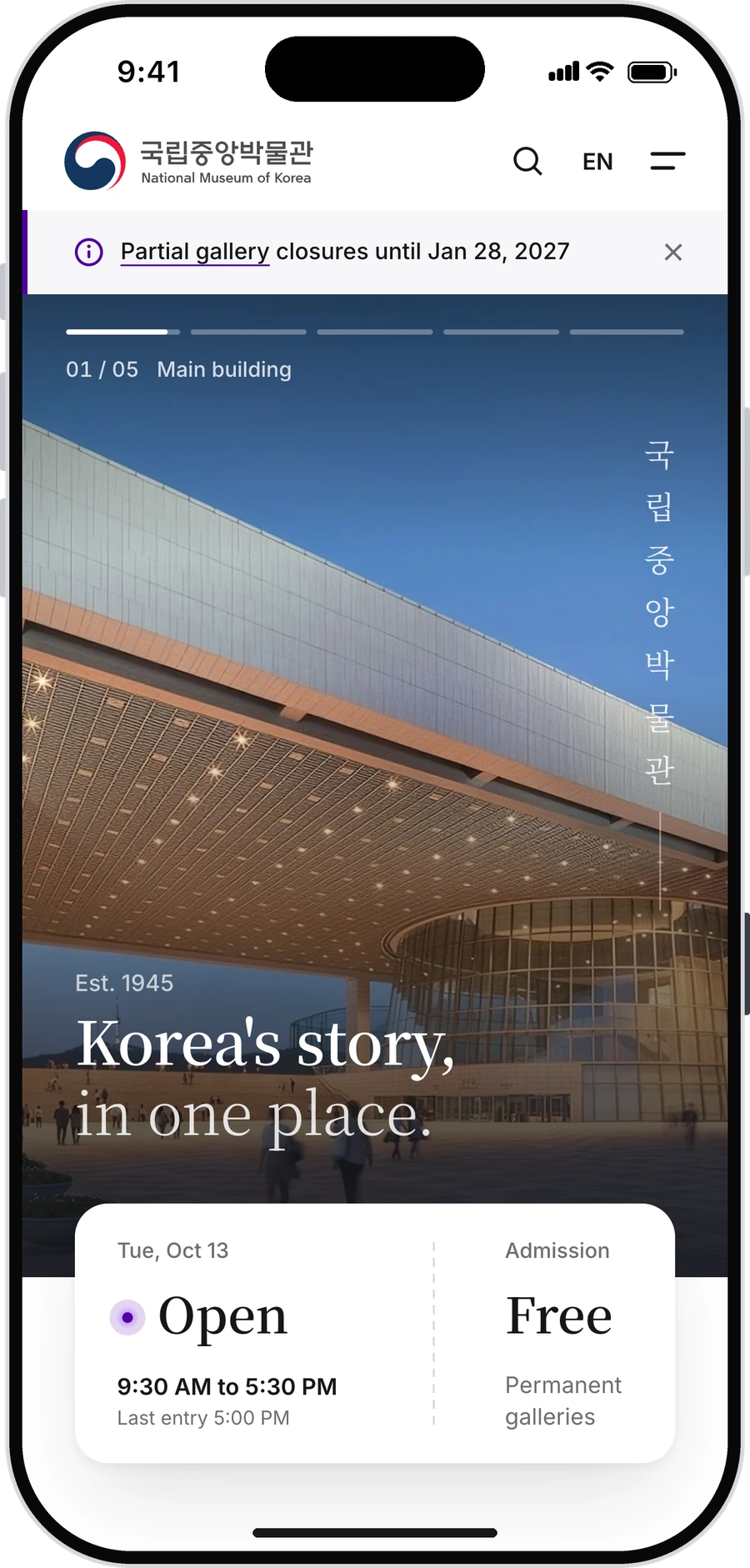
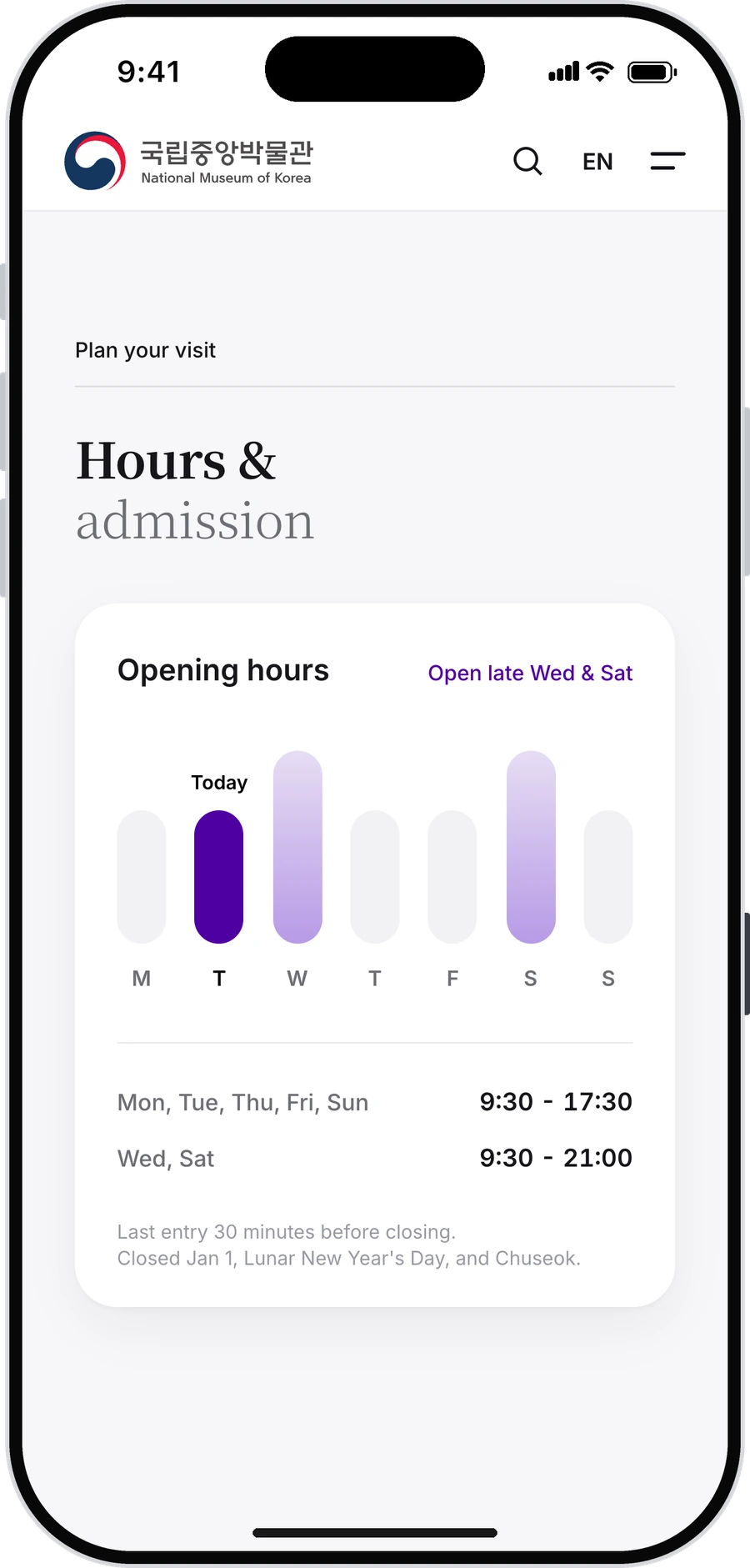
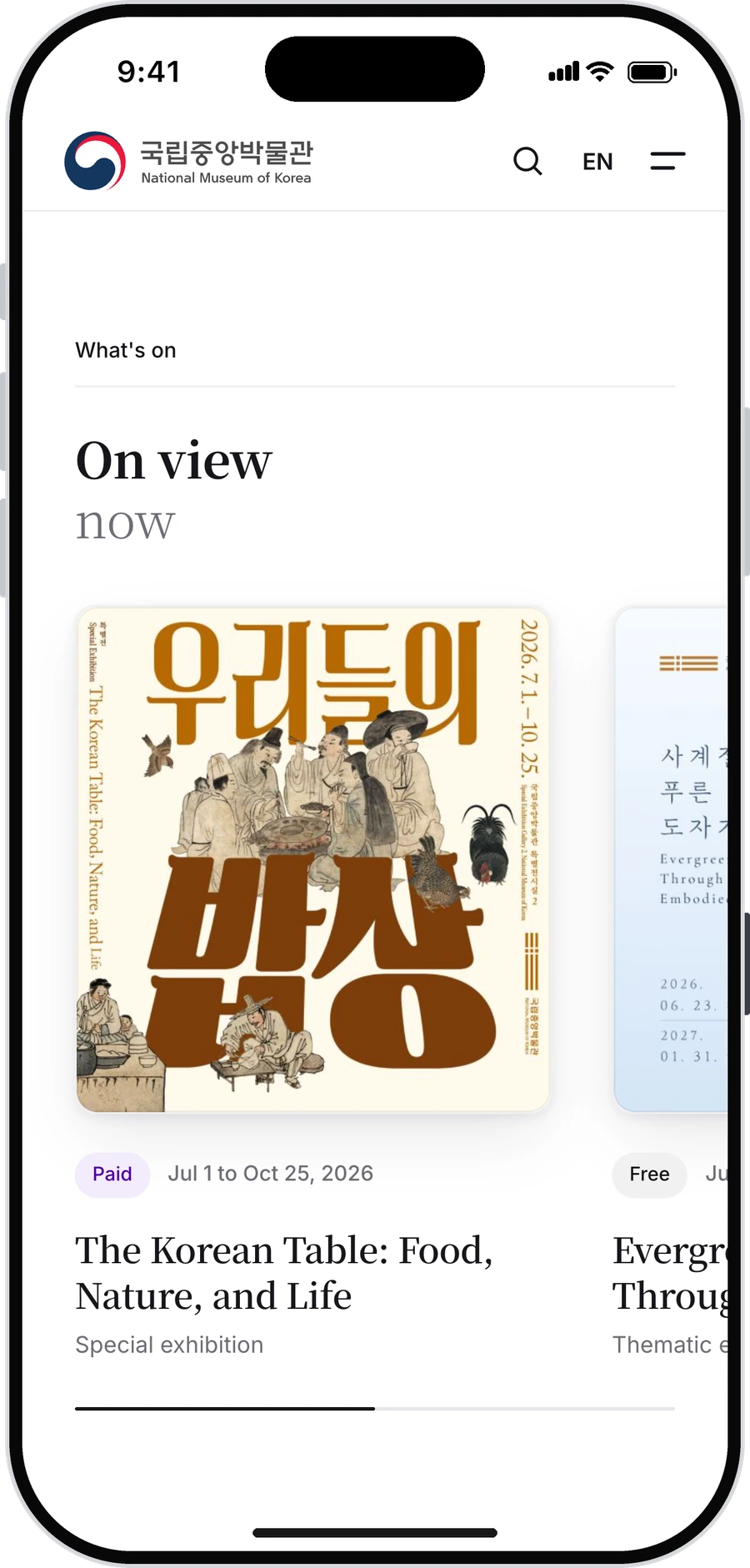
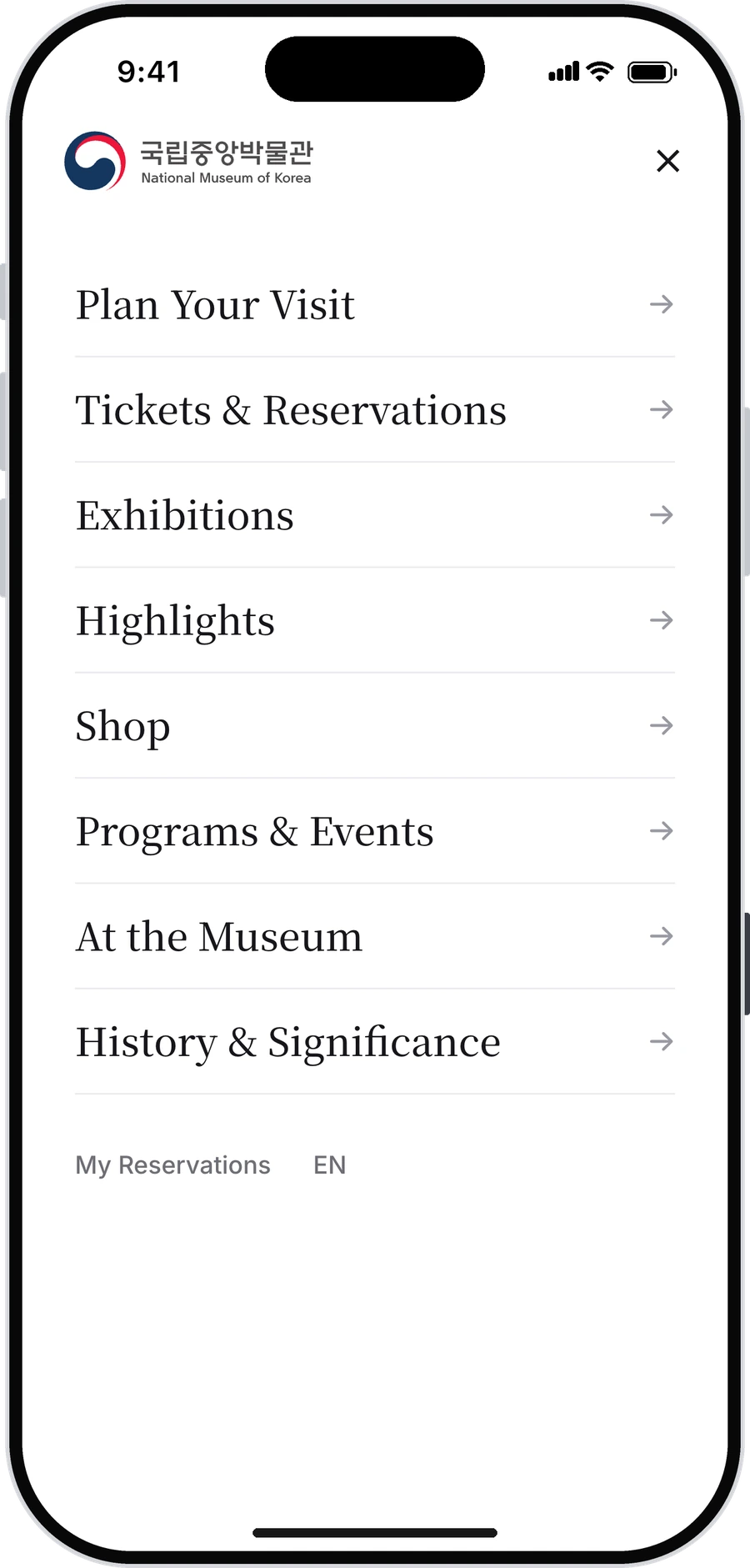
The menu lists the sections in the page’s own order and marks the one being read, so it works as a map as much as a menu. Section items scroll; Tickets and History open their own pages.
Colour and type
Purple carries one job and nothing else: actions and live status. The shop is the exception: MU:DS switches to a dark ground with gold, so it reads as its own space inside the museum’s.
- Section
- Card title
- Subhead
- Button
- Body
- Label
- Caption
Three kinds of ticket
The admission split carries into the flow: tickets, date and quantity, pay, confirmation, with the total live beside a Pay button that never moves.
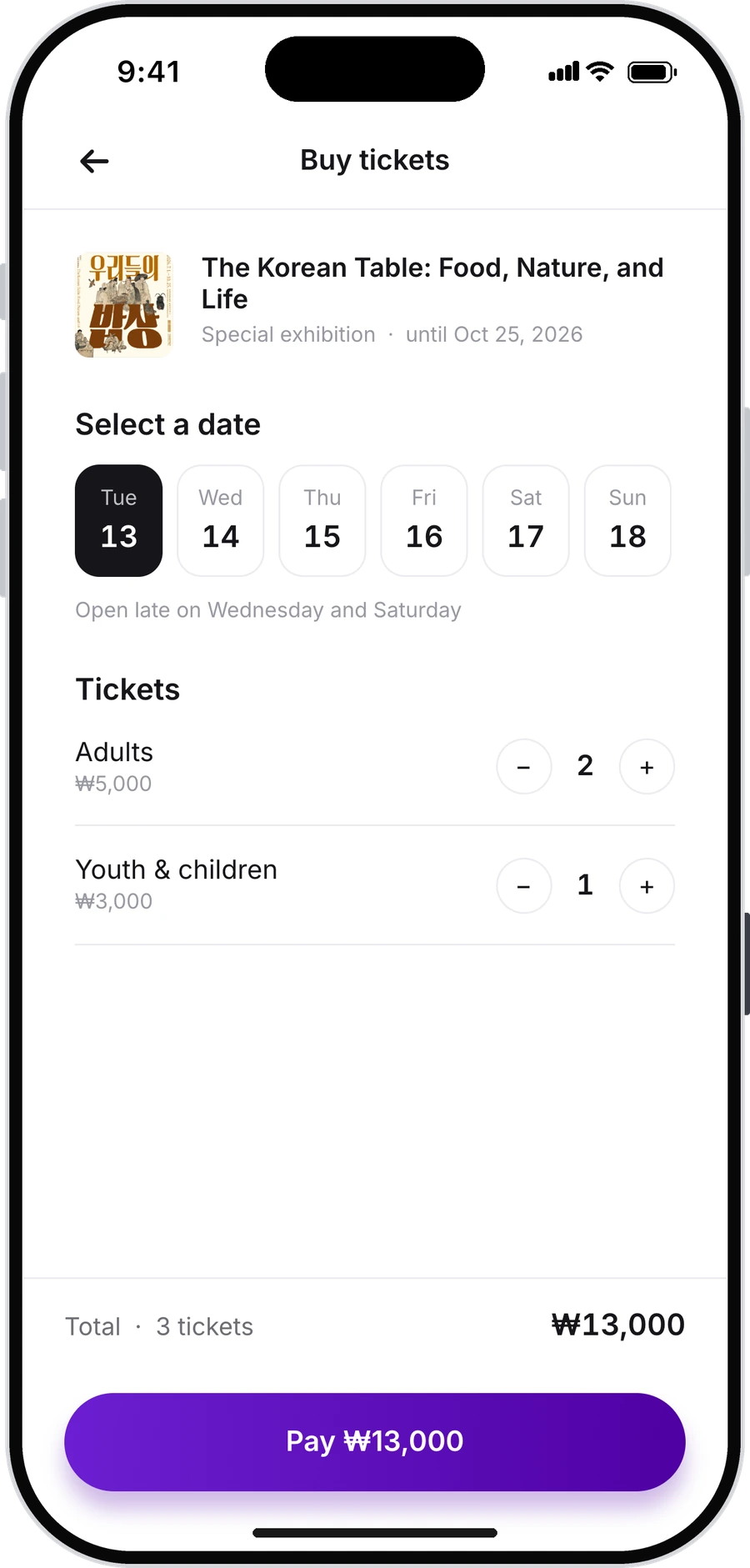
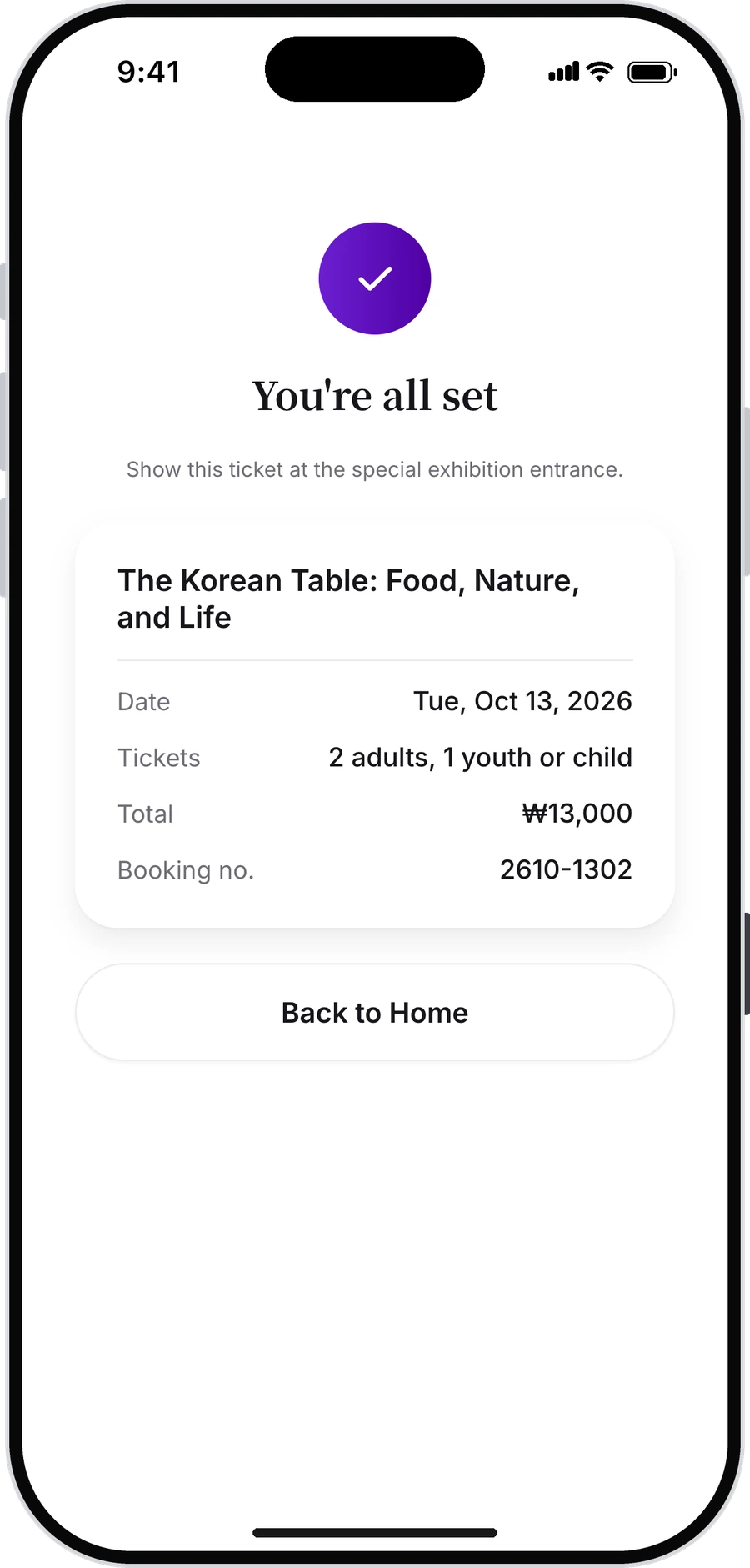
Testing, and five things it changed
Moderated think-aloud sessions, three participants, about ten minutes each. Three tasks: find the MU:DS best seller, buy a special exhibition ticket, search for wheelchair accessibility.
The best seller. A large gold 01 with a ranking line, and the two items under it renumbered 02 and 03, so the shop reads as one ranking instead of three products. A pill-shaped tag was tried first and dropped: beside the photograph it looked like a sticker.
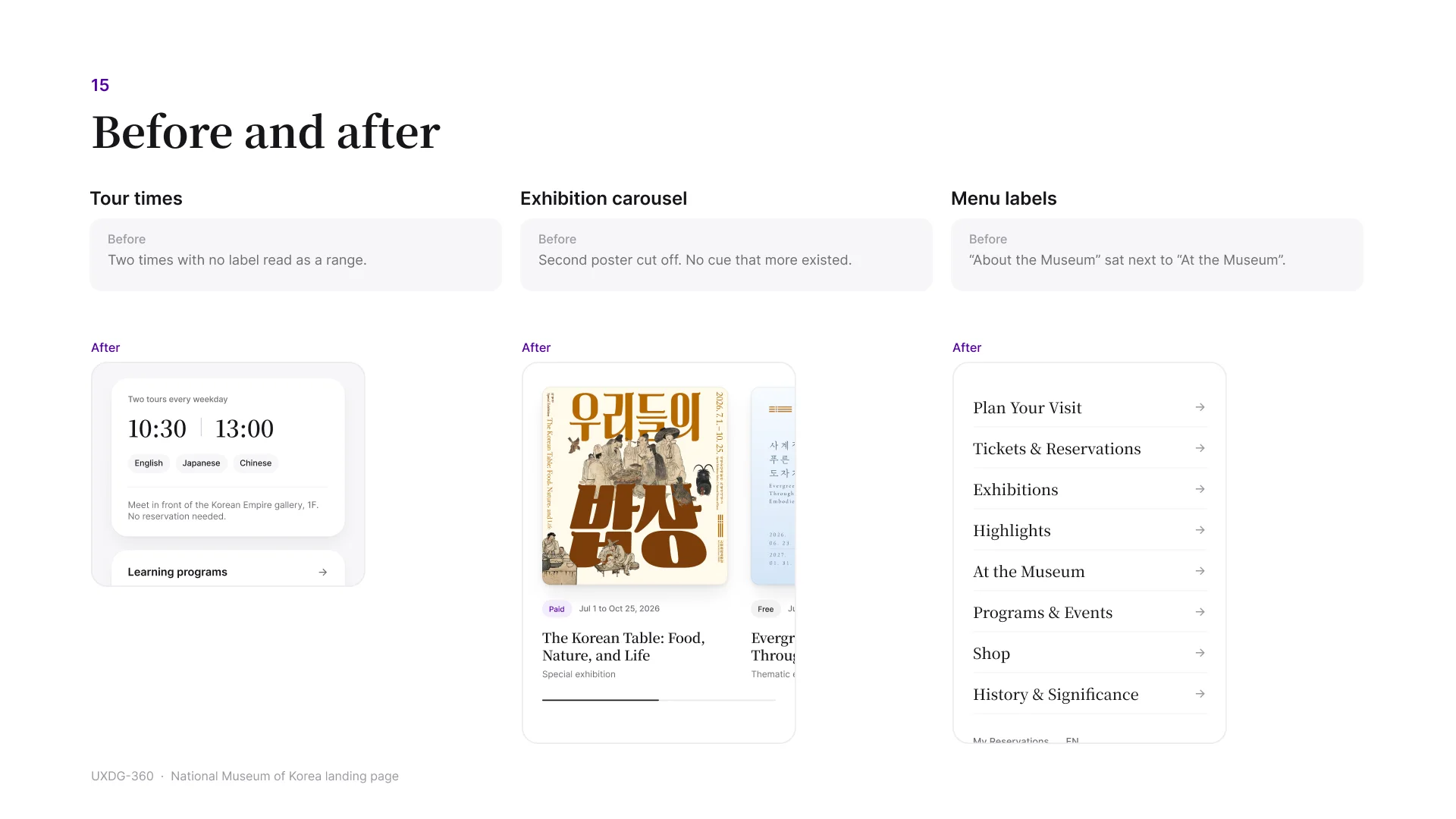
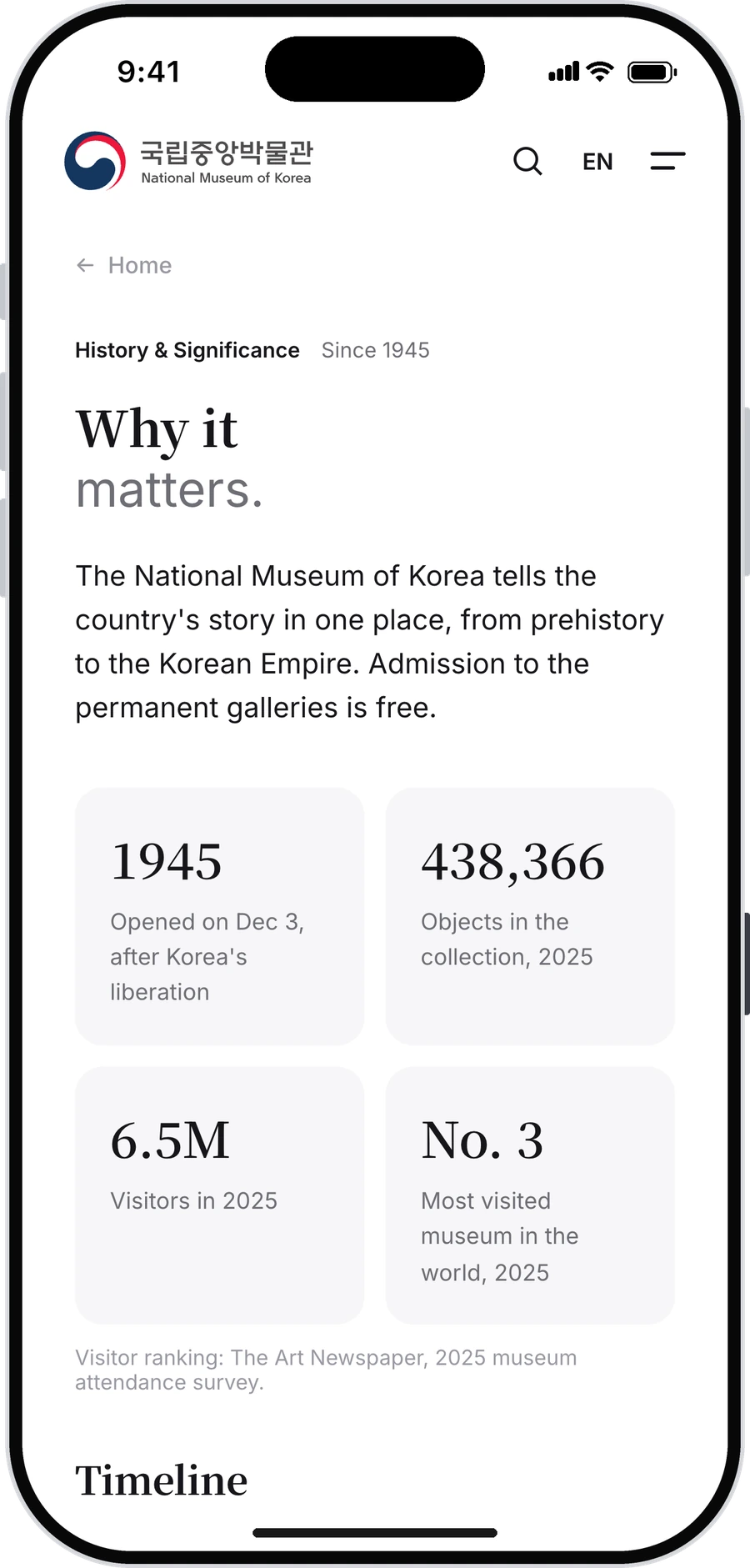
Two labels, one meaning. About the Museum and At the Museum read as the same section. Renamed to History & Significance.
Tour times. 10:30 13:00 read as a time range. Labelled two tours every weekday, with a divider between the times.
The carousel. The second exhibition was cut off with no cue that it continued. Swipe now snaps to the full card, and a progress bar shows position.
Search entry. Pill buttons beside the field competed with the field. Replaced with a ranked list of popular searches.
Motion that reports
A live dot pulses beside Open and stops when the museum closes. The week’s hours grow as bars with today highlighted, so late opening is understood before the numbers are read. The hero holds five photographs, auto-advancing or swiped. Every one of these turns off with the system’s reduced-motion setting.
Accessibility
Overlays manage focus and close with Escape, and search results announce politely. Wheelchair was one of the five sample searches from the start rather than an afterthought, and it resolves to a quick answer rather than a page. Header targets are 40 px; the ticket steppers are 32 px and should be bigger.
What’s next
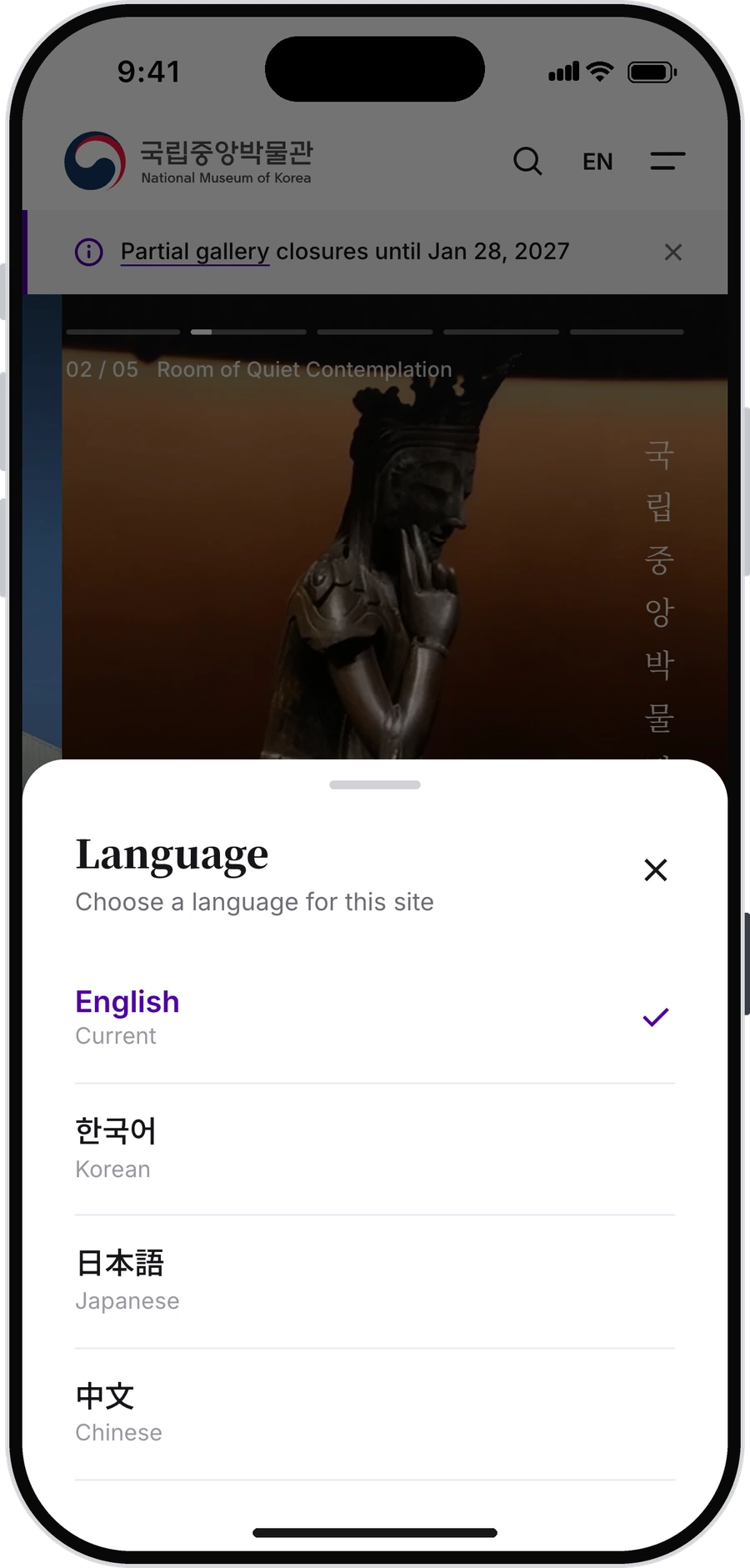
Korean, Japanese and Chinese sit behind the language sheet, designed but not yet written. Four destinations were out of scope for the sprint: all exhibitions, learning programmes, the events calendar, the online shop. And before any of this could be real, three facts need confirming with the museum: Wednesday and Saturday closing times, special-exhibition prices, and the booking format on the confirmation screen.
Open now. Free. This way in.